Quick answer: when a phone gets hot after battery replacement, the timing makes the replacement process relevant, but it does not prove that the new battery is defective. The heat may come from temporary setup activity, charging, an incompatible or damaged battery, poor electrical contact, mechanical pressure, another repair action, the charger, the phone’s charging circuit, software workload or an existing device fault. A B2B team should first classify safety, then compare repeatable conditions and preserve evidence before accepting or rejecting a warranty claim.
Do not judge a case from touch alone or from one unrecorded charging session. “Warm,” “hot” and “overheating” are subjective unless the test controls ambient conditions, device state, charger, workload, measurement location, equipment and time. Equally, do not continue testing a battery or device that shows swelling, leakage, hissing, venting, smoke, rapid temperature rise or physical damage.
Classify the Heat Complaint Before Testing
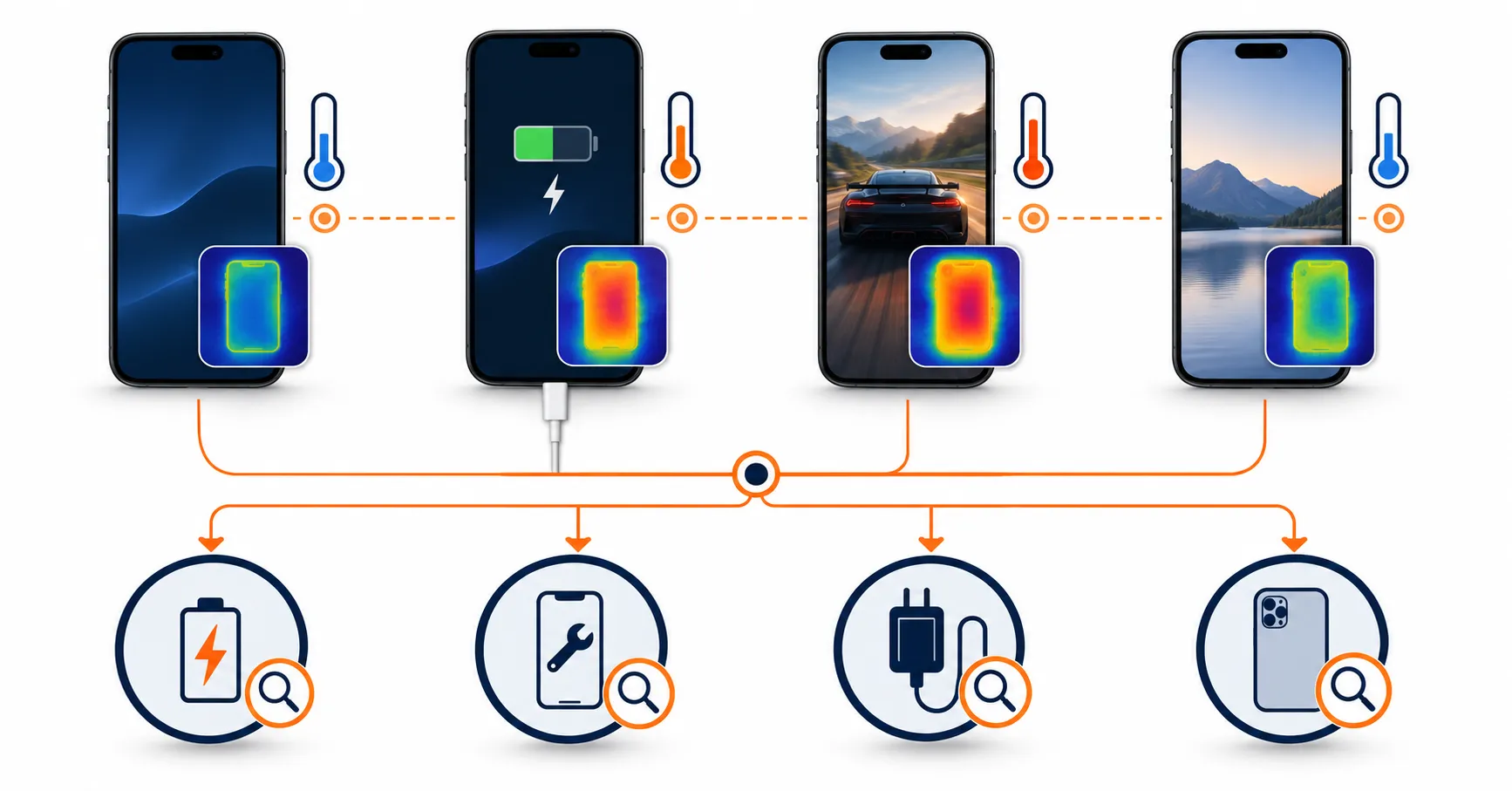
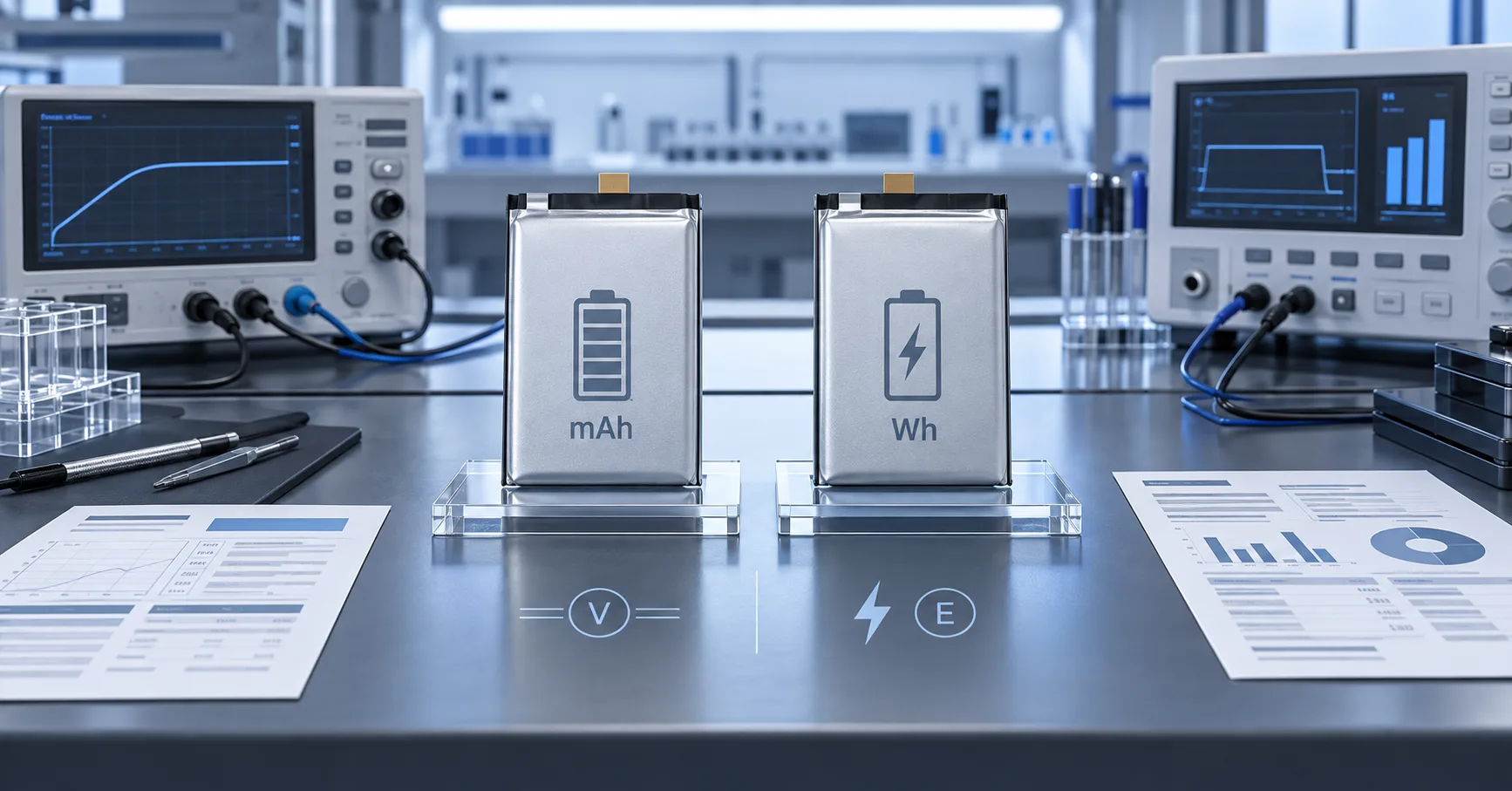
File Name: phone-overheating-after-battery-replacement-test-matrix.webp
Caption: A controlled comparison matrix for post-replacement thermal complaints.
Upload Status: Pending
Start by describing the event, not assigning a cause. Record whether the phone became warm during first setup, data restoration, a software update, wired or wireless charging, a high-load application, idle operation or immediately after installation. Also record whether charging slowed, the display dimmed, a temperature warning appeared, the phone shut down or the condition continued after the workload ended.
Apple’s device-temperature guidance explains that setup, backup restoration, software updates, wireless charging and processor-intensive tasks can make an iPhone feel warmer. Google’s Pixel heat guidance similarly identifies setup, media, camera, navigation, data transfer and charging during heavy use as heat-producing conditions. These examples show why warmth after service is not automatically a battery claim.
| Observed pattern | Initial interpretation | Next business action |
|---|---|---|
| Temporary warmth during setup, update or controlled charging, followed by normal recovery | May be expected device activity or charging heat | Record conditions and compare with the approved reference |
| Repeatable heat only with one replacement battery under matched conditions | Battery, connection or installation becomes more plausible | Hold the sample and expand controlled comparison |
| Repeatable heat with multiple verified batteries in the same phone | Device, software, charging circuit or repair history becomes more plausible | Escalate device diagnosis; do not keep replacing batteries blindly |
| Abnormal heat at idle or while disconnected from external power | Requires prompt safety and technical review | Stop the routine test and follow the approved escalation procedure |
| Heat with swelling, leakage, odor, hissing, smoke or visible damage | Potential safety event | Stop use and charging; restrict access; activate the site safety process |
This classification protects both safety and evidence quality. A phone that is merely warm after restoration should not be treated like a physically compromised battery. A rapidly changing or damaged unit should never be kept under load just to obtain a stronger warranty video.
Define a Safety Stop Before the Test Begins
A thermal test plan must state when technicians stop. Apple’s iPhone safety information says to discontinue use if damage to the phone or battery is suspected and states that battery service should be performed by trained technicians. OSHA’s workplace lithium-battery safety bulletin identifies rising temperature, bulging, cracking, hissing, leaking and smoking as warning signs requiring removal from service and workplace safety controls.
Each facility should set model-appropriate limits through its trained technical and safety teams. This article does not provide one universal surface-temperature threshold because phone design, measurement location, sensor method, ambient condition, workload and manufacturer specifications differ. A limit copied from another device or measured at a different location can produce a false pass or false failure.
If the phone is swollen, leaking, damaged, unusually hot without a controlled load, changing rapidly, venting or smoking, stop. Do not open the device, press the enclosure, reconnect power, freeze it, apply improvised cooling, or move closer for more photographs. Follow the approved emergency and damaged-battery procedure for the actual workplace and jurisdiction.
Build a Repeatable Thermal Evidence Record
A useful record begins before changing settings or swapping parts. Assign a case ID and capture:
- Phone model, regional variant where relevant, asset number and repair history
- Battery supplier SKU, buyer SKU, lot, carton and purchase-order reference
- Installation date, technician, workstation and other parts replaced
- Software version, update or restore status, active applications and network state
- Battery percentage and charging state when heat was first reported
- Charger, cable, rated profile and wired or wireless charging method
- Ambient condition, case or enclosure state and measurement location
- Measurement tool, equipment ID, interval and observed temperature trend
- Any warning, charging pause, dimming, shutdown, restart or odor
- Photographs and screenshots that can be captured without unsafe handling
The question is not simply “How hot did it get?” The record should show when heat started, where it was observed, whether the condition stabilized, and how the device recovered after the controlled activity ended. A single peak without a timeline cannot distinguish short transient behavior from sustained abnormal heating.
Use a Matched Four-Phase Comparison
For samples that pass the safety screen, compare four phases: stabilized idle, controlled charging, a representative workload and recovery. Define each phase before testing. Use the same phone settings, network state, display condition, ambient environment, charger, cable, starting condition, measurement tool and measurement points.
Do not design a workload solely to maximize heat. It should represent the buyer’s real repair validation or customer-use risk. The phone manufacturer’s operating guidance and the approved battery specification remain the boundaries. If the device limits charging, dims, displays a temperature warning or reaches the facility’s stop condition, record the response and end the test according to procedure.
| Phase | Question answered | Evidence to record |
|---|---|---|
| Stabilized idle | Does the device return to a repeatable baseline without an active workload? | Ambient condition, phone state, starting percentage, surface locations and time trend |
| Controlled charging | Does heating track the charger, charging stage, connection or battery? | Power source, cable, charging state, percentage, warnings and temperature trend |
| Representative workload | Does the battery-phone system behave consistently under an approved use case? | Workload, network, display, duration, performance changes and temperature trend |
| Recovery | Does the phone cool consistently after the activity stops? | End time, recovery interval, residual activity and return toward baseline |
Apple notes that an iPhone may slow or pause charging when it becomes too warm, as explained in its thermally limited charging guidance. A charging pause can therefore be device protection rather than proof that the replacement battery failed. It still matters as evidence, especially if it appears repeatedly under matched normal conditions.
Separate Battery, Installation, Charger and Device Causes
Change one variable at a time. Uncontrolled part swapping may make the symptom disappear while destroying the evidence needed to explain why.
Battery identity and condition
Confirm the exact device model, battery code, dimensions, connector, flex geometry, protection configuration and approved specification. Compatibility must be confirmed by model and battery specification; a similar shape is not enough. Review whether the unit arrived flat and intact, whether the label and lot match, and whether nearby samples show the same condition.
Connection and installation
Only trained personnel following the model-specific process should review connector seating, flex condition, insulation, adhesive placement, foreign material, enclosure pressure and any simultaneous repair. Heat near a connector or board area does not by itself identify the battery cell as the source. Avoid repeated opening when it could introduce new mechanical damage.
Charger and power path
Record the charger, cable, port condition and charging method. Compare with a verified source suitable for the device. Wireless charging, poor alignment, incompatible accessories, damaged ports and device-side charging faults can change both heat and charging behavior. Do not classify a warm charger, warm phone enclosure and warm battery as the same event.
Software and workload
Setup, indexing, cloud synchronization, application updates, weak signal, navigation, camera use and other background activity can increase power demand. ESC’s software-update battery complaint SOP provides a separate workflow for update-linked cases. Preserve the software state before resetting or erasing the device.
Known-good cross-comparison
When safe and authorized, compare the suspect configuration with an approved battery and a verified compatible device. If the behavior follows one battery across suitable reference devices, the battery or its assembly becomes more plausible. If several approved batteries behave abnormally only in one phone, device-side causes become more plausible. These comparisons raise or lower confidence; they do not replace root-cause analysis.
Connect Heat With Drain, Charging and Shutdown Evidence
Thermal symptoms often coexist with fast drain, slow charging, charging pauses or shutdown. Keep the outcomes linked but do not collapse them into one diagnosis. High workload can increase both power consumption and heat. A resistive connection may affect voltage behavior and local heating. Device thermal management may deliberately reduce charging or performance.
Use the phone battery runtime acceptance test when the primary question is repeatable discharge performance. Use the iPhone shutdown and restart guide when the primary event is abrupt power loss. This page retains ownership of the thermal pattern: source, timing, controlled comparison, recovery and heat-specific disposition.
Do not use a successful runtime test to dismiss unexplained heating, and do not use warmth alone to reject a battery that has not been compared under controlled conditions. Each claim should answer the question its method was designed to test.
Turn a Unit Complaint Into a Batch Decision
One overheated phone does not automatically prove a defective production lot. It does justify holding the complained-about unit and any inventory that cannot yet be separated from its model, lot or common exposure. Review the number received, installed, sold, remaining and reported. Compare complaint timing, facility, technician, device model, charger, software, carton, lot and shipment.
Escalate the scope when:
- the same thermal pattern appears in more than one verified device;
- multiple samples from one lot differ materially from the approved reference;
- traceability cannot separate suspect and unaffected stock;
- there is evidence of shared transport, storage or mechanical damage;
- a material, cell, protection, connector, adhesive or process change was not approved;
- the event includes swelling, leakage, venting, smoke or other safety indicators.
For general claim structure, evidence and commercial outcomes, use ESC’s mobile phone battery warranty workflow. Warranty depends on the specific product and agreement. A credit or replacement may settle one case, but a repeat thermal signal still needs a documented quality decision.
What Buyers Should Ask the Supplier to Investigate
A heat-specific supplier request should include the controlled test record and ask for a response that separates confirmed evidence from hypotheses. Request:
- affected cell, protection-board, connector, insulation and assembly traceability;
- production, rework, inspection, aging and retained-sample records linked to the lot;
- review of material, sub-supplier, equipment, parameter and packaging changes;
- comparison with approved samples and other lots under matched conditions;
- assessment of installation, device, charger, logistics and storage alternatives;
- root-cause confidence, containment scope and evidence still required;
- corrective action, owner, due date and effectiveness check;
- written release, sorting, replacement or other disposition criteria.
Incoming teams can strengthen future investigations through the mobile phone battery IQC guide. Receiving records should connect each physical battery to its approved reference, shipment and lot before a field complaint occurs.
Frequently Asked Questions
Is a phone getting warm after replacement always abnormal?
No. Charging, setup, restoration, software work and demanding applications can create temporary warmth. The decision depends on repeatability, operating state, temperature trend, recovery and comparison with an approved reference.
What does phone overheating after battery replacement prove?
By itself, it proves only that a thermal complaint occurred after service. It does not distinguish the battery from installation, charger, device hardware, software or environmental causes. Controlled comparisons and traceability are required.
How should an iPhone overheating after battery replacement be tested?
Begin with the safety screen, then use a documented, model-appropriate comparison under matched ambient, charging, device and workload conditions. Follow Apple guidance and the facility’s trained repair procedure. Stop if damage or an unsafe condition is suspected.
Does a new phone battery getting hot justify an immediate lot rejection?
Not automatically. Hold the affected unit and the defensible potentially related scope, verify identity and common exposures, then compare additional samples when safe and authorized. Repeated matched results or traceability gaps may justify wider action.
Can replacement battery overheating be solved by changing the charger?
A charger or cable comparison may identify a power-source contribution, but it should not be assumed to solve every case. If abnormal heat continues with a verified suitable source, investigate the battery, connection, installation, device and software branches.
Make Thermal Complaints Measurable
A post-replacement heat complaint becomes useful quality evidence when the team records the event, controls the comparison, respects the safety stop and traces the result to the battery, device, installation and lot. The objective is not to defend every battery or blame every phone. It is to make consistent decisions with evidence.
For an ESCCharge thermal-validation or supplier review, send the target phone models, battery SKU and lot, approved specification, repair stage, charger and cable, software state, controlled workload, ambient condition, measurement method, temperature timeline, comparison results and required warranty response. Testing and acceptance limits must be defined for the specific model and method.
External Source References
- Apple Support — If your iPhone or iPad gets too hot or too cold — updated 2026
- Apple Support — Understand Thermally Limited Charging on iPhone — accessed 2026
- Apple Support — Important safety information for iPhone — accessed 2026
- Google Pixel Help — Help keep your Pixel phone from feeling too warm or hot — accessed 2026
- Occupational Safety and Health Administration — Preventing Fire and/or Explosion Injury from Small and Wearable Lithium Battery Powered Devices — 2019