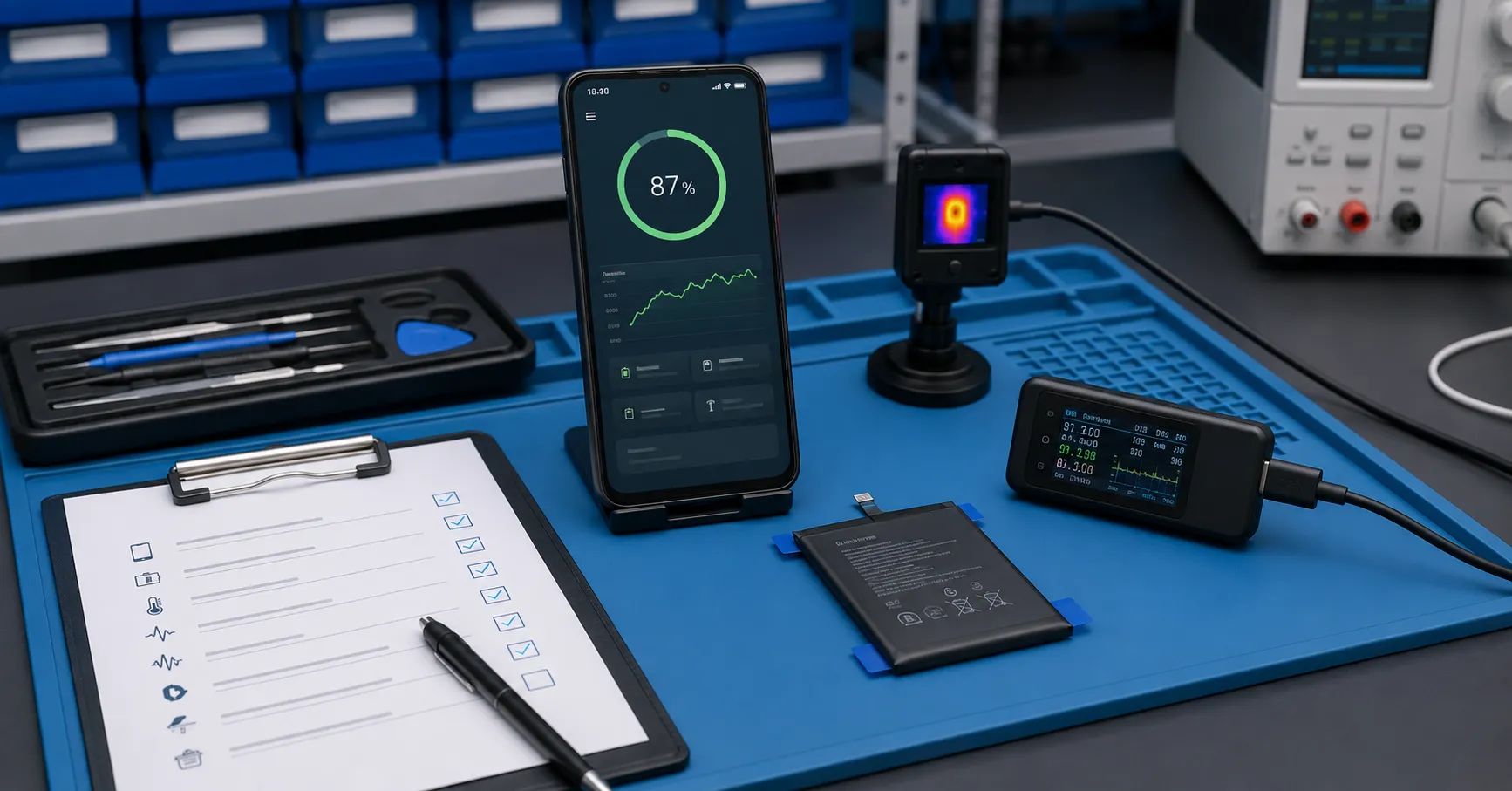
A replacement battery can be physically correct and electrically functional while the phone still changes charging speed, limits charge behavior, reports unavailable health information, or shows runtime that differs from a newly configured device. On Google Pixel phones, software battery-management features, model support, cycle history, temperature, charger behavior, and system estimation all influence the post-repair experience.
A B2B Pixel battery health assistance workflow should therefore separate software-managed aging behavior from battery manufacturing defects, installation problems, charging-system faults, device heat, and app-related drain. Repair chains and refurbishers need a repeatable validation matrix rather than one universal expectation across every Pixel generation.
This guide is for repair chains, refurbishment facilities, mobile-parts wholesalers, distributors, and private-label battery buyers. It does not promise that a third-party battery will display a particular health status or behave identically across all Pixel models and Android versions. Validate the exact battery, phone model, software build, charger, and test conditions.
Understand What Google’s Battery Health Features Do
Google’s official Pixel battery guidance explains that lithium-ion batteries are consumable components and that temperature, charging, discharging, and device use affect capacity over time. It also describes cycle-count and health-information availability for supported models.
Google states that Battery Health Assistance can adjust maximum battery voltage in stages as a battery ages and can tune charging speed based on adjusted capacity. The feature is available on specified Pixel models, and its settings or ability to disable it differ by generation. This means a technician must identify the exact device before interpreting charging behavior.
Health information is also model-dependent. Some devices expose battery health, estimated capacity, manufacture date, first-use date, or cycle count, while others do not show the same fields. “Not displayed” should not automatically become a battery-failure code.
Create a Model-and-Software Support Matrix
Before validating a replacement, maintain a controlled table containing:
- Pixel model and regional variant;
- Android version and security update;
- whether Battery Health is available;
- whether cycle count and battery dates are visible;
- whether Battery Health Assistance is supported;
- whether the feature can be turned off on that model;
- whether an 80% charging option is available;
- approved charger and cable profile;
- known repair or calibration steps;
- expected post-repair observation period.
Update the table when Google changes support documentation or software behavior. Screenshots from an older model should not be used as the acceptance standard for a newer phone.
Separate Software Management From Hardware Failure
| Observed behavior | Possible software or system factor | Hardware checks | Required evidence |
|---|---|---|---|
| Charging slows at a particular level | Charging optimization, temperature management, aging assistance, charger negotiation | Battery temperature, connector, charger, cable, current path | Settings, power-analyzer curve, temperature and charger ID |
| Health status is unavailable | Model does not expose the feature or estimation is incomplete | Battery identity, installation, diagnostics and runtime | Model support matrix and device screenshots |
| Capacity estimate differs from rated capacity | Fuel-gauge estimation, usage history, software learning | Controlled bench capacity and device runtime | Raw discharge curve and system estimate |
| Fast drain after repair | Updates, app optimization, background activity, network conditions | Battery capacity, resistance, temperature and installation | App usage, software state and controlled comparison |
| Phone will not charge normally | Protection mode, incompatible charger profile, system fault | USB-C port, connector, battery voltage, protection board | Known-good charger test and electrical records |
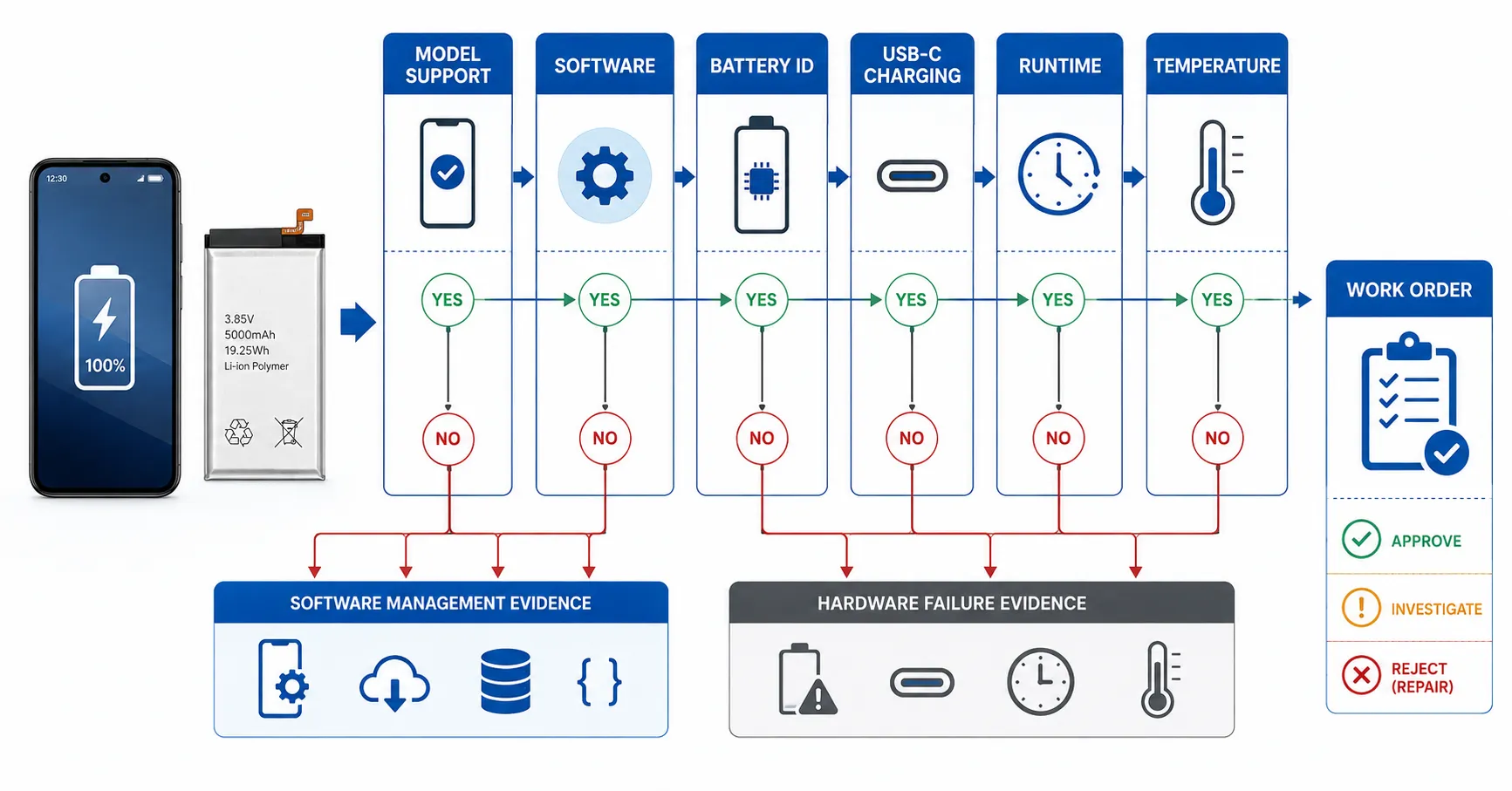
Record the Device State Before Opening the Phone
Pre-repair evidence prevents the new battery from being blamed for conditions that existed before replacement. Record:
- device model, storage capacity, region, and serial reference;
- Android version, security update, and pending updates;
- initial complaint and customer description;
- battery level, health status, cycle count, and visible dates where supported;
- charging settings and optimization state;
- Battery Diagnostics results where available;
- USB-C charging behavior with a known-good charger;
- temperature, physical condition, and evidence of swelling;
- app battery-use screen and unusual background activity;
- photographs and screenshots attached to the work order.
Google’s Pixel Battery Diagnostics guidance shows where supported devices can access diagnostic tools. The repair record should state which fields were available rather than marking missing features as failures.
Approve the Replacement Battery Before Installation
The battery should pass a model-level incoming check before it enters a repair bay. Verify model identity, dimensions, connector, flex cable, pinout, insulation, label, open-circuit voltage, resistance, and traceability. Capacity claims must be confirmed using a controlled method for the exact battery.
Do not force a battery into the enclosure because the connector fits. Inspect clearance around the display, rear cover, frame, charging coil, camera, and flex route. Record adhesive type and installation position so pressure or later removal risk can be investigated.
ESC’s mobile phone battery incoming inspection guide provides a broader receiving framework. Pixel-specific validation adds model and software evidence after installation.
Use a Controlled Installation Work Order
The work order should specify power-down state, disassembly tools, adhesive removal, connector handling, cleaning, new adhesive, battery placement, closure method, and post-install inspection. Technicians should record deviations rather than silently improvising.
After connection but before final closure, inspect:
- connector seating and flex alignment;
- unexpected heat;
- boot and stable battery detection;
- charging response with a known-good USB-C PD or PPS setup;
- absence of pressure, rocking, or trapped material;
- display, cameras, wireless charging, NFC, microphones, and other disturbed functions.
Complete enclosure sealing only after the preliminary checks pass. A battery-related work order should still verify functions that may have been affected during disassembly.
Standardize the First-Charge Observation
The first charge should be an observation test, not an assumption that a full charge automatically calibrates the system. Define the starting battery level, charger, cable, ambient temperature, screen state, network state, and logging interval.
Record voltage and current where suitable equipment is available, device-reported percentage, battery temperature, charging status, time, and any current reduction. Compare the behavior with a known-good device of the same model and software version. Do not compare a compact Pixel with a Pro or Fold model and call the difference a battery defect.
Google recommends compatible USB-C PD or PPS charging and notes that temperature influences battery performance. Use a stable room-temperature environment unless the test specifically evaluates another condition.
Interpret the 80% Charge Option Correctly
Google’s charging optimization guidance describes an optional 80% limit on supported phones and notes that a periodic full charge may occur to maintain capacity-estimation accuracy. Automatic protective limits may also appear under prolonged charging or elevated-temperature conditions.
Therefore, a device stopping near 80% may be operating as configured. Before replacing the battery again, record:
- whether the 80% option is enabled;
- whether the phone indicates protective charging behavior;
- battery and ambient temperature;
- how long the device has remained connected;
- whether a periodic estimation charge is occurring;
- whether the charger and cable are known-good.
Do not confuse the user-selected 80% charging limit with an 80% remaining-capacity health threshold. They represent different concepts.
Validate Health Status Without Treating It as a Laboratory Measurement
Pixel health status and estimated capacity are software outputs. Google explains that initial health values are estimates based on laboratory results and can differ from actual battery state. Use the displayed information as one part of the work-order evidence.
A complete Pixel replacement battery validation should compare:
- system-reported health and estimated capacity where supported;
- bench-measured capacity under a controlled method;
- controlled device runtime;
- open-circuit voltage and internal resistance;
- charging curve and temperature;
- percentage progression and shutdown behavior;
- results from a known-good comparison device.
If the values disagree, investigate test conditions, system learning, battery communication, sample history, software state, and measurement method. Do not modify product claims to match one favorable screen.
Run a Controlled Runtime and Load Test
Runtime varies with display brightness, refresh rate, network signal, background apps, camera use, temperature, and software optimization. Use a repeatable profile with documented settings. Allow post-update optimization to finish before diagnosing abnormal drain.
A practical test can include:
- defined starting percentage and rest condition;
- fixed brightness, audio, connectivity, and refresh settings;
- a scripted sequence of idle, video, browsing, camera, and load stages;
- percentage and temperature logging at fixed intervals;
- observation of shutdown percentage and restart behavior;
- comparison with an approved reference device;
- post-test charge and physical inspection.
ESC’s replacement phone battery drain guide can support general root-cause analysis. The current process should focus on controlled acceptance rather than repeating general causes.
Separate Cycle Count From Replacement-Battery Quality
Google describes model-dependent cycle expectations and explains how partial discharge contributes to a full cycle. Cycle count is useful context, but it should not be treated as a universal pass/fail number for an installed third-party battery.
After replacement, record whether the visible cycle and date information appears plausible for the phone and workflow. An unexpected value may involve retained device data, battery information, software support, or installation. Investigate before assigning responsibility.
Do not advertise a battery as meeting a particular cycle figure unless the exact model, test method, conditions, and evidence have been approved. Google’s device-level statements do not automatically certify a separately supplied replacement battery.
Use Clear Failure Codes and Evidence
Replace vague notes such as “battery bad” with specific codes:
- wrong battery model or physical mismatch;
- connector or flex installation fault;
- abnormal OCV or resistance;
- capacity below approved model limit;
- abnormal charging current or temperature;
- software feature unsupported on the model;
- charging optimization or 80% limit enabled;
- system update or optimization incomplete;
- USB-C port, charger, or cable fault;
- background app or network drain;
- device mainboard or sensor issue;
- unable to reproduce the complaint.
Attach screenshots, electrical data, temperature records, test conditions, and comparison results. This improves supplier corrective action and reduces unnecessary battery replacements.
Convert Repair Data Into Batch Control
Aggregate results by battery model, supplier batch, Pixel model, Android version, technician, charger, and failure code. Review:
- installation failure rate;
- health-information availability by model;
- charging anomalies by software version;
- capacity and runtime distribution;
- temperature and resistance trends;
- repeat-repair rate;
- complaints that were ultimately device or software related;
- supplier-lot concentration.
Connect the results to ESC’s mobile phone battery warranty claims process. Batch evidence is more persuasive than isolated anecdotes.
Common Pixel Post-Repair Validation Mistakes
- Expecting identical health menus on every Pixel model.
- Calling an 80% charging limit a capacity failure.
- Testing immediately after a large system update.
- Ignoring background app and network activity.
- Comparing different Pixel models or software versions.
- Using an unknown charger or damaged cable.
- Approving the battery from system estimation alone.
- Replacing the battery again without checking installation and USB-C charging.
- Using Google’s device cycle statement as a third-party battery guarantee.
- Failing to retain screenshots and test conditions.
Frequently Asked Questions
Does every Pixel show Battery Health?
No. Feature availability varies by model. Use Google’s current support information and a maintained model matrix before marking a missing menu as a repair failure.
Why does a Pixel stop charging near 80%?
The phone may have an 80% charging option enabled or may be applying protective charging behavior. Check settings, notifications, temperature, connection duration, charger, and model support before diagnosing the battery.
Does Battery Health Assistance mean the replacement battery is defective?
No. It is a software management feature intended to support aging performance on specified models. Validate actual battery condition separately.
Can the displayed capacity replace a bench capacity test?
No. Displayed capacity is an estimate. Use a controlled charge-discharge method when model-level capacity evidence is required.
Should a repaired Pixel be factory reset for battery testing?
Not automatically. A reset changes device state and may create a new optimization period. Define when it is authorized and retain pre-reset evidence.
How long should post-repair validation take?
The period depends on the complaint, model, software state, and test profile. Define minimum installation, charging, runtime, rest, and follow-up checks rather than releasing from a brief power-on test.
Validate the Complete Repair State
A professional Pixel battery health assistance process does not judge the replacement part from one menu or charging percentage. It connects model support, software state, battery identity, installation, charging, temperature, capacity, runtime, diagnostics, and work-order evidence.
Send ESC your target Pixel models, battery specifications, order quantity, and validation requirements. ESC can help prepare model-level replacement-battery samples and production records. Health display, cycle information, charging behavior, and software compatibility must be verified on the exact device and current software build.
External Source References
- Google Pixel Help — Understand Your Pixel Battery, accessed 2026
- Google Pixel Help — Get the Most Life From Your Pixel Phone Battery, accessed 2026
- Google Pixel Help — Fix Issues With Your Pixel Phone Battery, accessed 2026