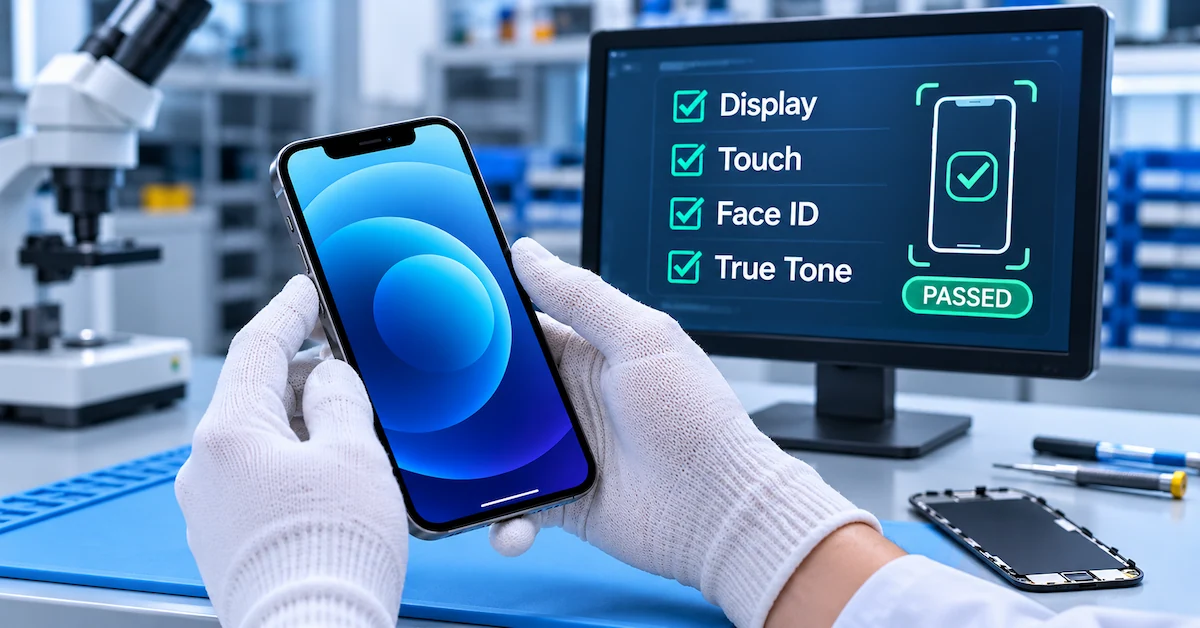

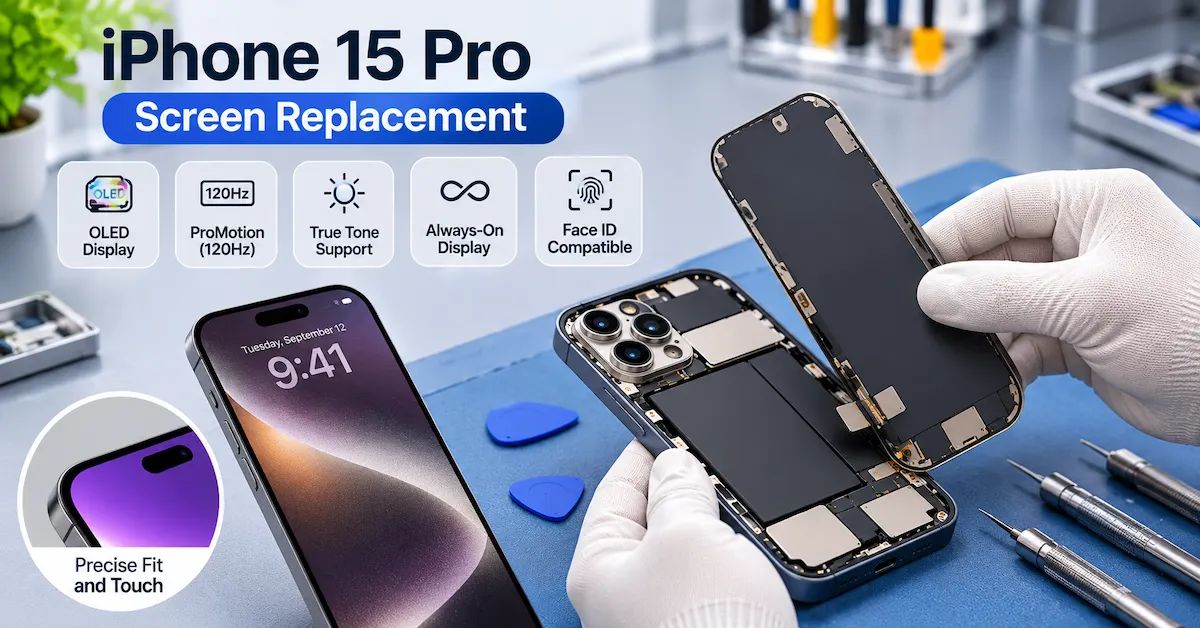
Quick Answer: An iPhone 15 Pro screen replacement should restore the functions required of its original 6.1-inch Super Retina XDR OLED display, not merely produce a working image. Professional repair shops should verify display quality, full-area Multi-Touch, adaptive refresh behavior, True Tone, Always-On functionality, Face ID, and relevant Parts and Service History information. Genuine, used genuine, and aftermarket screens can follow different repair and calibration paths. Before releasing a repaired phone, technicians should compare the result against documented acceptance criteria.
The iPhone 15 Pro screen replacement process introduces important questions for repair businesses.
A customer may request a new screen because the original glass is cracked. A refurbisher may need to restore a damaged display before resale. A distributor may need to qualify hundreds of replacement screens for a repair chain.
In each situation, a successful repair must deliver more than an illuminated panel.
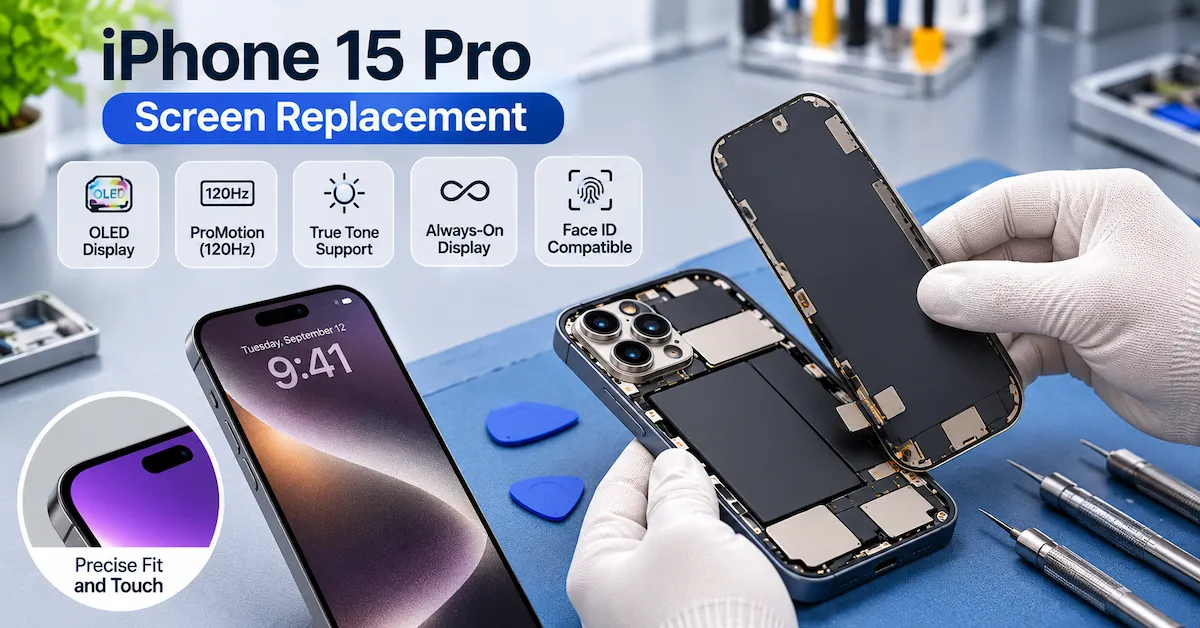
The original iPhone 15 Pro display supports ProMotion with adaptive refresh rates up to 120Hz, True Tone, HDR, Always-On functionality, and precise touch interaction.
A replacement display should be evaluated against the functions required by the intended repair or resale grade.
Software-related repair status also matters. Depending on the replacement part, its origin, the installed iOS version, and the supported repair process, Parts and Service History may display different information.
For professional buyers, this creates three separate decisions:
-
Is the screen actually the failed component?
-
Which replacement display configuration meets the required standard?
-
Has the completed repair passed technical and commercial acceptance?
This guide provides a model-specific framework for making those decisions.
Key Takeaways
-
The iPhone 15 Pro uses a 6.1-inch OLED display with a native resolution of 2556 × 1179 pixels.
-
ProMotion, Always-On, True Tone, touch response, and brightness must be evaluated separately.
-
iPhone 15 Pro and iPhone 15 Pro Max screens should not be treated as interchangeable.
-
Genuine Apple, previously used genuine Apple, and aftermarket displays have different sourcing and repair considerations.
-
Repair Assistant supports eligible display repairs, but successful calibration depends on the applicable requirements.
-
An Unknown or Finish Repair status should be investigated rather than automatically treated as proof of display hardware failure.
-
A lower screen purchase price does not necessarily produce a lower cost per accepted repair.
-
Battery, charging, and power problems must be diagnosed separately from display faults.
1. What Makes iPhone 15 Pro Screen Replacement Different?
The iPhone 15 Pro features a more advanced display than a basic smartphone panel.
According to Apple's official iPhone 15 Pro technical specifications, the device uses the following display configuration.
Original iPhone 15 Pro display specifications
| Feature | Apple-published specification | Repair acceptance consideration |
|---|---|---|
| Display technology | Super Retina XDR OLED | Verify replacement panel technology |
| Screen size | 6.1-inch class | Confirm exact model compatibility |
| Resolution | 2556 × 1179 pixels | Evaluate image clarity and supported output |
| Pixel density | 460 ppi | Check fine-detail presentation |
| Refresh rate | ProMotion, adaptive up to 120Hz | Assess required smooth-motion behavior |
| Always-On | Supported | Test feature operation |
| True Tone | Supported | Confirm availability and performance |
| HDR | Supported | Assess applicable HDR presentation |
| Typical maximum brightness | 1,000 nits | Evaluate under defined test conditions |
| Peak HDR brightness | 1,600 nits | Requires an appropriate measurement method |
| Peak outdoor brightness | 2,000 nits | Do not infer from a simple visual test |
| Color gamut | Wide color (P3) | Evaluate color against a suitable reference |
These are the original device's specifications, not guaranteed performance specifications for an unverified third-party replacement panel.
Why this matters for repair shops
A replacement screen can display images and respond to touch while still differing from the original in brightness, color accuracy, refresh behavior, power consumption, or software support.
For high-grade refurbishment, those differences can influence resale classification and customer expectations.
The repair target should be defined before purchasing the panel.
2. How Do You Confirm the Correct iPhone 15 Pro Model?
The iPhone 15 family contains four models.
Although some models have similar screen sizes, their display assemblies should not be assumed interchangeable.
Model identification
| Device | Display size | Purchasing decision |
|---|---|---|
| iPhone 15 | 6.1 inches | Separate display application |
| iPhone 15 Plus | 6.7 inches | Separate display application |
| iPhone 15 Pro | 6.1 inches | Target model for this guide |
| iPhone 15 Pro Max | 6.7 inches | Separate display application |
Apple lists the following regional model numbers for iPhone 15 Pro:
-
A2848
-
A3101
-
A3102
-
A3104
These identifiers help establish the device model. They are not replacement-display part numbers.
For a working device, confirm the model in Settings → General → About.
For nonworking devices, use verified model-identification records and appropriate professional inspection procedures.
B2B recommendation
Each display SKU should have a documented compatibility record.
Do not approve a replacement screen solely because it is described as a “6.1-inch iPhone OLED.”
The approved component should match the exact target phone and agreed assembly configuration.
3. Does a Cracked or Black Screen Always Need Replacement?
No.
A cracked screen often indicates physical display damage, but a black screen or intermittent image problem can have several causes.
Replacing the display without diagnosis may waste parts and labor.
Symptom comparison
| Symptom | Possible cause | Initial decision |
|---|---|---|
| Cracked glass | Physical damage | Inspect display and touch condition |
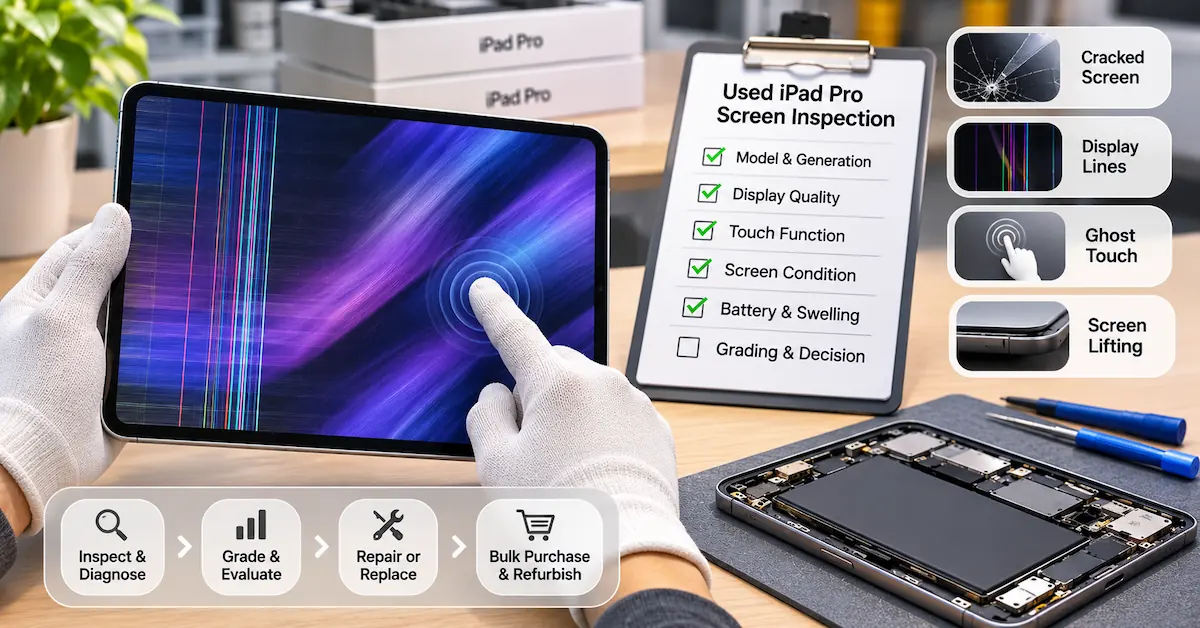
| Vertical colored lines | Panel or display electronics issue | Assess display replacement |
| Black screen | Display, software, power or board fault | Diagnose before ordering |
| Touch not responding | Digitizer, software or connection problem | Verify fault |
| Ghost touch | Touch subsystem or related issue | Hold until reproduced |
| Flickering display | Display hardware, software or power issue | Controlled troubleshooting |
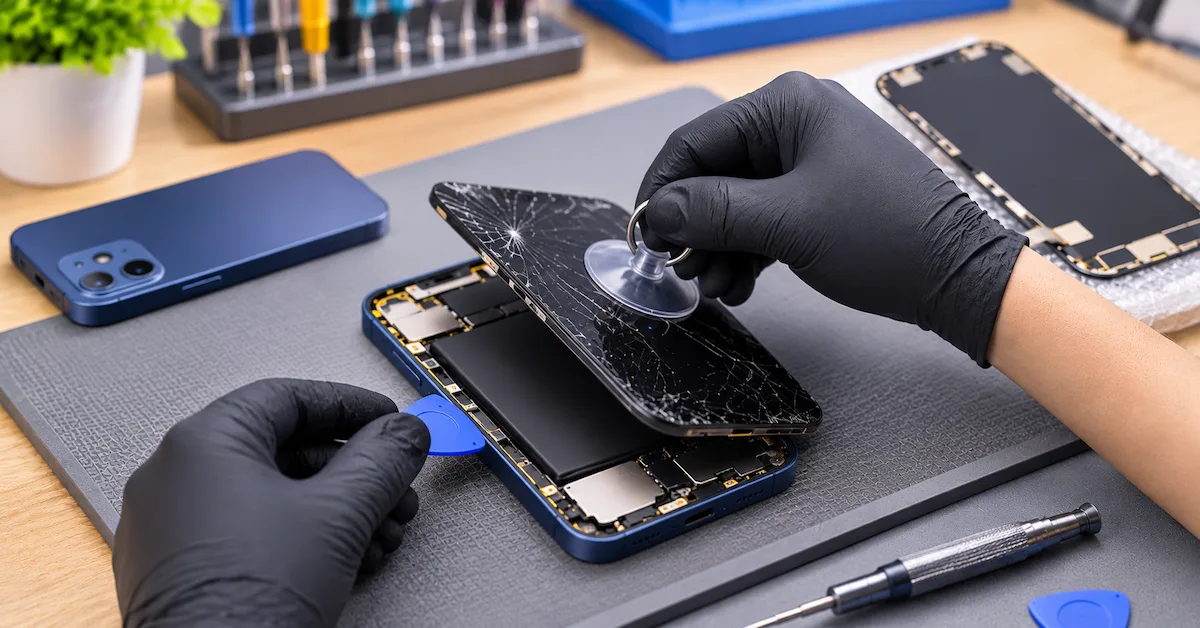
| Screen lifting | Adhesive, frame deformation or battery swelling | Assess safety before repair |
| Phone cannot start | Battery, charging or other hardware fault possible | Verify power system |
Distinguish a black screen from a dead phone
When a phone shows no image, determine whether the device itself is operating.
Qualified technicians may examine charging behavior, recognized connections, relevant diagnostics, and other functional observations.
If the entire device has a power problem, replacing the display may not solve the complaint.
When should you stop?
If there is visible battery swelling, deformation, abnormal heat, or other signs of battery damage, stop normal charging and disassembly work.
Do not force the display back into place.
The device should enter an appropriate professional safety-assessment process.
4. Which Replacement Screen Option Is Best?
Repair businesses may encounter several display categories in the market.
The best choice depends on the required performance, product origin, available repair process, quality evidence, and total qualified repair cost.
Display options comparison
| Display option | Potential advantage | Main limitation | Suitable buyer |
|---|---|---|---|
| New genuine Apple display | Original-design component and supported official repair process | Sourcing and service requirements | Buyers requiring genuine service parts |
| Used genuine Apple display | Original display recovered from another device | Prior condition and calibration eligibility must be verified | Specialized refurbishers |
| Refurbished original display | May retain an original panel | Quality depends on refurbishment scope | Buyers with controlled supplier qualification |
| Aftermarket soft OLED | Flexible OLED-based alternative | Actual performance varies by supplier and design | Repair businesses with validated supply |
| Aftermarket hard OLED | Alternative OLED construction | Mechanical and functional performance require validation | Price-sensitive repair channels |
| LCD-based alternative | May have a lower initial price | Differs from the original OLED architecture | Only where limitations are understood and accepted |
The labels “soft OLED,” “hard OLED,” “premium,” and “original quality” are not substitutes for technical specifications or performance data.
Genuine Apple displays
Genuine Apple service components are intended to work with Apple's supported repair procedures.
The buyer should verify part provenance and the applicable service requirements.
Used genuine displays
Apple supports reuse of eligible genuine components from another device of the same model under supported conditions.
For iPhone 15 Pro, the source and target model must be properly matched.
The previous condition of the display and its service eligibility still matter.
Aftermarket OLED displays
Aftermarket OLED products can vary in brightness, uniformity, touch response, construction, and compatibility.
A supplier's claim that a panel supports 120Hz or True Tone should be tested using an agreed method.
Should you use an LCD replacement?
The iPhone 15 Pro was designed around an OLED display.
An LCD substitute may behave differently in contrast, thickness, viewing characteristics, Always-On functionality, and energy consumption.
For customers expecting the original display experience, an LCD-based option should not be presented as equivalent without suitable evidence.
Purchasing rule: Choose the display according to the required finished-device standard, not the supplier's marketing grade.
5. What Should Be Checked Before Opening the iPhone?
A professional screen repair should begin with a documented baseline.
This helps distinguish pre-existing faults from problems that appear during the repair process.
Pre-repair checklist
| Check | Record |
|---|---|
| Exact model | iPhone 15 Pro identification |
| iOS version | Installed software build |
| Screen condition | Glass, image, touch and frame damage |
| Touch response | Function across the display |
| True Tone | Availability and behavior |
| Face ID | Existing functional status |
| Front camera | Existing image and camera operation |
| Proximity behavior | Existing screen response during calls |
| Battery condition | Battery Health and safety observations |
| Repair history | Available Parts and Service History |
| Customer authorization | Approved repair scope |
Why a baseline matters
Suppose a device arrives with a cracked display and Face ID already unavailable.
If the technician records that condition before the repair, the shop can investigate the display separately from the existing biometric issue.
Without a baseline, the customer may reasonably question whether the screen repair caused the Face ID problem.
Use the correct repair procedure
Apple publishes an iPhone 15 Pro Repair Manual covering display procedures, battery safety, broken-glass precautions, relevant tools, and troubleshooting.
Professional repair providers should follow appropriate model-specific procedures.
Display disassembly can expose sensitive components and create risks involving broken glass, electrical contacts, and the lithium-ion battery.
This article provides a quality-control and purchasing framework rather than a substitute for professional repair training.
6. What Happens to True Tone After iPhone 15 Pro Screen Replacement?
True Tone adjusts display characteristics in response to ambient lighting conditions.
It is one of the features that should be reviewed after a screen repair.
However, the result depends on the replacement part, software, and applicable repair process.
Three different questions
Is True Tone available?
Check whether the relevant display setting is present and accessible.
Does True Tone work as expected?
Observe the response under suitable lighting conditions or use an approved comparison method.
Has the repair been properly completed?
Check the applicable service status and calibration process.
These questions should not be treated as identical.
What does Apple say?
Apple's guidance on genuine iPhone displays identifies potential problems associated with nongenuine displays.
These can include:
-
Multi-Touch problems
-
Incorrect display colors
-
Reduced or inconsistent brightness
-
Ambient light sensor problems
-
True Tone not functioning correctly
-
Unexpected battery consumption
This information supports the need for feature testing.
It does not establish that every aftermarket screen will exhibit these problems.
B2B recommendation
For each approved replacement display, record whether True Tone is present, how it behaves under the agreed test, and any applicable repair-history information.
Do not advertise guaranteed original-equivalent True Tone performance without model- and software-specific validation.
7. How Does Repair Assistant Work With iPhone 15 Pro Displays?
Repair Assistant is an important part of supported modern iPhone repair workflows.
Apple explains that Repair Assistant installs calibration data to complete certain part replacements.
The tool can be used for eligible display repairs on the iPhone 15 family.
Requirements for supported repairs
Apple's published requirements include:
-
A supported device and component
-
A current supported iOS version
-
A Wi-Fi internet connection
-
More than 20% battery charge
-
An eligible replacement part
-
Completion of the applicable onscreen process
How to access Repair Assistant
Where applicable:
-
Open Settings.
-
Select General.
-
Open About.
-
Select Parts and Service History.
-
Tap Restart & Finish Repair if this option is available.
-
Follow the onscreen instructions.
The exact workflow depends on the supported part and device state.
Refer to Apple's official Repair Assistant instructions.
Can a used genuine display be calibrated?
Apple supports eligible previously used genuine parts from another device of the same model on iPhone 15 and later, subject to the applicable requirements.
This means buyers should verify the replacement display's model match and provenance.
It does not establish that any screen with a compatible connector qualifies for Apple's calibration process.
Does Repair Assistant guarantee every feature?
No.
A successful calibration should be followed by functional testing.
Likewise, an unsuccessful calibration attempt does not, by itself, prove that the display panel is physically defective.
Software conditions, part eligibility, installation, network access, and part restrictions may require investigation.
For repair chains, record the calibration result separately from the display hardware test.
8. What Do Genuine, Used, Unknown, and Finish Repair Mean?
After a screen replacement, relevant information may appear under:
Settings → General → About → Parts and Service History
Apple distinguishes several statuses.
| Status | General meaning | Recommended B2B response |
|---|---|---|
| Genuine | Genuine Apple part and applicable completed process | Record status and verify function |
| Used | Part previously installed in another iPhone | Confirm origin, disclosure and condition |
| Unknown | Part cannot be identified or verified as expected, or other stated conditions apply | Investigate and record actual behavior |
| Finish Repair | Applicable repair completion remains pending | Follow supported completion workflow |
Not every status is available under every device, software, or repair condition.
Does Unknown mean the screen is fake?
Not necessarily.
Apple's published explanations include circumstances such as a nongenuine part, a part not functioning as expected, or a part not properly verified or linked.
Therefore, Unknown should be recorded as a specific system observation rather than converted automatically into a definitive supplier defect finding.
Does Used mean the screen is defective?
No.
Used describes a component's prior installation history.
A previously used genuine part may still be functional, but its condition and suitability require assessment.
Does Genuine prove perfect performance?
No.
A favorable service-history status does not replace inspection for dead pixels, touch defects, physical damage, or other performance problems.
Important: An aftermarket display must not be marketed as genuine Apple merely because it displays an image, supports certain functions, or is described by a supplier as “original quality.”
9. How Do You Test ProMotion After Screen Replacement?
The original iPhone 15 Pro supports adaptive refresh rates up to 120Hz.
That capability is relevant when a repair shop promises original-equivalent display performance.
Why simple scrolling is insufficient
A screen that looks smooth during scrolling has not necessarily been verified to support the full original adaptive refresh behavior.
Perceived smoothness depends on application performance, displayed content, system settings, and other conditions.
Recommended professional approach
Define the test objective before approving replacement panels.
For example, establish whether the acceptance requirement is:
-
Normal responsive scrolling
-
No visible abnormal stuttering under a controlled workload
-
Correct operation of supported adaptive refresh behavior
-
Measured refresh performance using suitable equipment
For any numerical refresh-rate claim, use an appropriate validated measurement process.
A short demonstration video is not a substitute for controlled performance evidence.
What about Always-On?
Test Always-On functionality separately when the selected display configuration is expected to support it.
A replacement screen that operates normally while unlocked may still differ in low-power display behavior.
For B2B buyers, ProMotion, Always-On, brightness, and touch response should be separate acceptance items.
10. What Is the Complete Post-Repair Quality-Control Checklist?
This is the most important stage of a professional iPhone 15 Pro display replacement.
The goal is to confirm that the repaired phone meets the buyer's agreed acceptance criteria.
Recommended post-repair test matrix
| Test area | Required observation | Failure or hold condition |
|---|---|---|
| Image output | Stable full-screen image | Missing regions, persistent lines or abnormal flicker |
| Pixel condition | Meets agreed display defect criteria | Unacceptable defects |
| Color uniformity | Matches approved reference | Significant unexplained variation |
| Brightness | Normal operation under test conditions | Abnormal or unstable output |
| Multi-Touch | Accurate input across the full area | Dead zones, ghost touch or delay |
| ProMotion | Meets agreed functional requirements | Unresolved motion abnormality |
| Always-On | Required behavior confirmed | Unsupported or failed function |
| True Tone | Expected availability and behavior | Unexpected loss or malfunction |
| Auto-brightness | Appropriate response | Incorrect sensor behavior |
| Face ID | Previously working biometric function remains operational | New or unresolved failure |
| Front camera | Normal relevant camera operation | Image or function problem |
| Proximity behavior | Correct response during applicable use | Screen fails to respond properly |
| Parts and Service History | Actual status documented | Unresolved required calibration |
| Physical fit | Correct alignment and closure | Gaps, uneven seating or deformation |
| Charging and power | Normal device operation | Unexpected shutdown or charging issue |
| Final appearance | Meets cosmetic specification | Visible damage or contamination |
These are proposed professional acceptance criteria, not a claim that ESC has independently tested screen assemblies.
Separate hardware and software evidence
A technician should record both functional results and software-related observations.
For example:
-
Touchscreen passes functional testing.
-
True Tone behavior is recorded.
-
Parts and Service History shows a particular status.
-
Repair Assistant completion is documented where applicable.
This is more useful than recording only “screen works.”
Compare before and after
The strongest repair record includes:
Pre-repair condition → replacement component identity → repair procedure → post-repair condition → final acceptance.
If the customer later reports a problem, the business has evidence to support an investigation.
11. What About Face ID, Sensors, and Water Resistance?
A screen repair can affect nearby components even when the main display panel is functioning.
Face ID
The iPhone 15 Pro uses Apple's TrueDepth camera system for Face ID.
Professional technicians must avoid damage to sensitive components during repair.
Face ID should be tested before and after the procedure whenever the device condition permits.
A newly observed Face ID problem requires its own diagnosis.
Ambient light and proximity sensors
These functions influence how the display behaves under different environmental and calling conditions.
Inspect them separately from touch response.
Display adhesive and sealing
Opening the phone disturbs its factory-installed sealing arrangement.
A replacement adhesive or a properly seated screen does not independently prove that the device has regained its original water-resistance rating.
Avoid guaranteeing original-equivalent water resistance after repair without an appropriate validated basis.
Battery safety
A damaged or swollen battery can create additional risks during screen repair.
Where a phone has both display and battery problems, each component should receive a separate diagnosis and repair approval.
Do not assume that replacing the screen resolves power or battery defects.
12. How Should B2B Buyers Qualify iPhone 15 Pro Replacement Screens?
For repair chains and wholesale purchasers, the technical approval process should begin before production-scale orders.
Supplier qualification checklist
| Evaluation area | Documents or evidence to request |
|---|---|
| Product identification | Exact iPhone 15 Pro display SKU |
| Source classification | Genuine, used genuine, refurbished original or aftermarket |
| Panel technology | Verified OLED or other declared construction |
| Mechanical configuration | Screen dimensions, frame and attachment details |
| Electrical compatibility | Approved display and touch interfaces |
| Optical performance | Defined brightness, color and uniformity results |
| Touch performance | Full-area functional test |
| Feature support | ProMotion, True Tone, Always-On claims |
| System observations | Actual Parts and Service History results |
| Repair compatibility | Applicable installation and calibration procedures |
| Incoming inspection | Sample quantity and acceptance criteria |
| Traceability | Supplier lot and revision identification |
| Warranty | Written coverage and exclusions |
| Delivery | Confirmed availability, MOQ and lead time |
Do not approve a display from marketing terms alone
Descriptions such as “AAA OLED,” “Original Quality,” or “No Warning” should be supported by actual technical evidence.
Ask the supplier to identify the specific replacement configuration and the testing conditions used to support each claim.
Sample approval procedure
A practical workflow includes:
-
Verify the exact product and intended device.
-
Obtain representative samples.
-
Complete visual and mechanical inspection.
-
Install samples using approved professional procedures.
-
Test display, touch, sensors, and required features.
-
Record actual post-repair system behavior.
-
Approve the sample revision and acceptance standard.
-
Compare incoming production lots with that approved reference.
A single successful sample does not guarantee consistency across future shipments.
Private-label and OEM requirements
If a screen supplier offers private-label packaging, distinguish commercial customization from technical changes.
Changing a box design is different from changing the panel, connector, display electronics, or optical configuration.
Buyers should require notification and appropriate revalidation when important technical components change.
These are recommended display-sourcing controls; they are not claims that ESC currently manufactures or sells iPhone screen assemblies.
13. How Much Does an iPhone 15 Pro Screen Replacement Cost?
Replacement cost depends on the part source, repair method, location, labor, additional damage, and quality requirements.
A genuine Apple repair and an independently sourced aftermarket repair may have different prices and service terms.
Rather than using a fixed quote that can become outdated, B2B buyers should calculate the total cost of an accepted repair.
Total qualified repair cost
Total Repair Cost = Display Price + Labor + Consumables + Inspection + Rework Allowance + Warranty Allowance
Illustrative B2B cost comparison
The following values are hypothetical, not current supplier quotations or measured defect rates.
| Cost component | Display option A | Display option B |
|---|---|---|
| Screen purchase | $75 | $105 |
| Labor | $24 | $24 |
| Consumables and inspection | $8 | $8 |
| Expected rework and warranty allowance | $42 | $7 |
| Total expected cost | $149 | $144 |
Although option A has a lower component price, its assumed rework allowance results in a higher expected repair cost.
The commercial lesson is not that expensive displays are always better.
It is that the buyer must use actual inspection, repair, and return data to establish cost per accepted repair.
Refurbishment decision
A used iPhone 15 Pro should be approved for screen replacement when:
-
The display fault has been correctly identified.
-
Repair is technically feasible and safe.
-
An acceptable replacement part is available.
-
Post-repair functions can meet the required grade.
-
The completed repair supports the target resale economics.
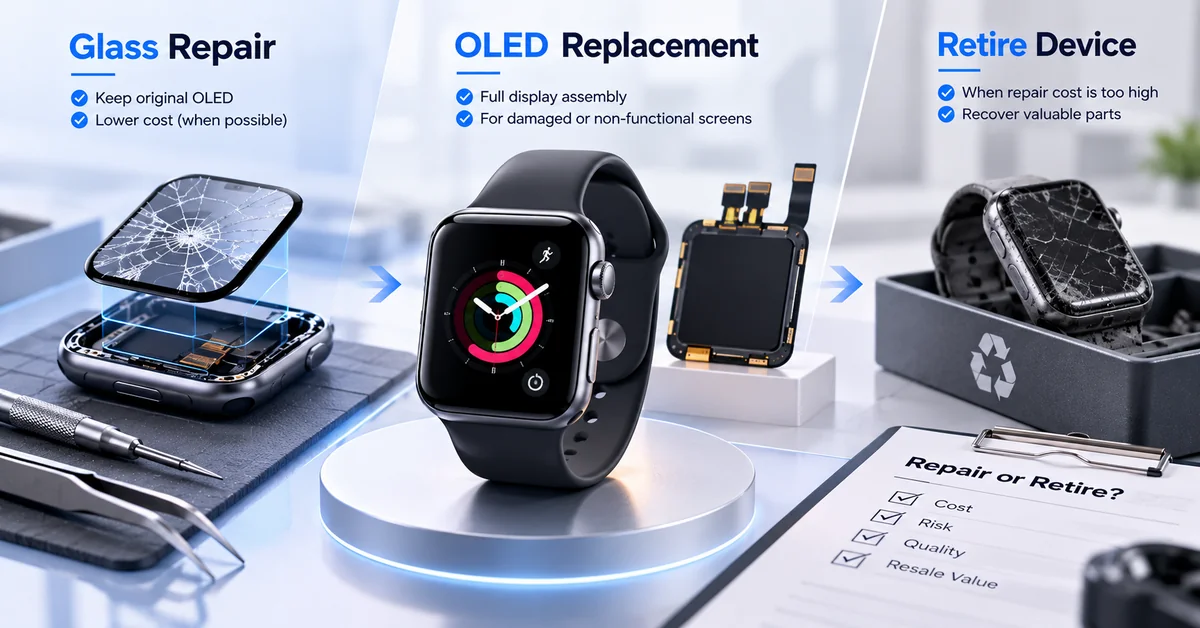
If those requirements cannot be met, the appropriate decision may be further diagnosis, a different repair route, or rejection.
14. How Do Repair Chains Reduce Screen-Related Returns?
Repair businesses should avoid treating every returned phone as a defective display.
A returned device may have:
-
A confirmed panel fault
-
Installation-related damage
-
An incomplete repair-calibration process
-
A sensor or front-camera problem
-
An unrelated power or battery issue
-
Customer damage after repair
-
An unresolved fault that cannot be reproduced
Recommended warranty record
| Record | Why it matters |
|---|---|
| Device model and identifier | Confirms exact application |
| Display supplier SKU | Links the component to the approved part |
| Lot or revision | Identifies possible batch patterns |
| Repair technician/location | Supports workmanship investigation |
| iOS version | Documents software conditions |
| Baseline test | Separates pre-existing issues |
| Repair Assistant result | Records calibration status |
| Final QC results | Establishes acceptance evidence |
| Customer complaint | Preserves the reported symptom |
| Return diagnosis | Identifies confirmed failure category |
For multi-store repair chains, standardize the inspection form and acceptance language.
The same reported symptom should be investigated under comparable conditions before a supplier defect claim is approved.
Supplier corrective action
If several screens from the same lot exhibit a similar confirmed defect, quarantine relevant stock and document the evidence.
Request an investigation according to the agreed supplier quality procedure.
Do not calculate a supplier failure rate from an unrepresentative sample or classify all customer returns as component defects.
15. When Is iPhone 15 Pro Battery Replacement Relevant?
Although the main subject is screen replacement, display repair shops often encounter devices with multiple faults.
For example, a phone may arrive with cracked glass and reduced battery life.
Another may have a black screen caused by a power problem rather than the display assembly.
These cases require separate technical decisions.
Screen failure vs. battery failure
| Device condition | Recommended action |
|---|---|
| Cracked display, healthy battery | Screen repair assessment |
| Functional display, degraded battery | Battery replacement assessment |
| Black screen, unknown power condition | Diagnose before replacing components |
| Screen and battery both defective | Approve two separate repair scopes |
| Suspected swelling or battery damage | Safety Hold and professional evaluation |
Relevant ESC iPhone 15 Pro battery
ESC publishes an iPhone 15 Pro diagnosable replacement battery with the following listed specifications.
| Specification | ESC published information |
|---|---|
| Compatible device | iPhone 15 Pro |
| Rated capacity | 3274mAh |
| Nominal voltage | 3.87V |
| Rated energy | Approximately 12.7Wh |
| Product type | Aftermarket lithium-ion replacement battery |
| Configuration | Diagnosable / smart recognition |
| Target customers | Repair shops, refurbishers, wholesalers and distributors |
| Customization | OEM/ODM labeling and packaging options |
These are supplier-published battery specifications, not screen product specifications.
The product's actual software behavior, compatibility, inspection requirements, and commercial terms should be verified for the selected SKU.
For battery sourcing across the iPhone 15 family, see ESC's iPhone 15 series replacement battery approval guide.
B2B sourcing opportunity
If your repair operation handles both damaged screens and battery replacements, establishing separate quality-control records for each component helps reduce diagnostic confusion.
ESC supports aftermarket battery purchasing for professional repair businesses.
Explore its mobile phone replacement battery range or contact ESC to discuss compatible battery configurations, sample approval, quantities, and private-label requirements.
Important: ESC's verified product offering here is replacement batteries. Availability of iPhone 15 Pro display assemblies through ESC has not been established.
Frequently Asked Questions
1. How much does iPhone 15 Pro screen replacement cost?
The cost varies with the replacement display type, service provider, geographic market, labor, and additional damage. Genuine Apple service and independent aftermarket repairs can have different pricing. Professional buyers should evaluate total repair cost, including inspection, rework, and warranty allowances.
2. Can I replace an iPhone 15 Pro screen with an aftermarket OLED?
Aftermarket OLED assemblies are available through the repair-parts market, but actual compatibility and performance depend on the product. Repair businesses should verify image quality, touch, brightness, ProMotion, True Tone, software status, and finished-device operation before approving a screen.
3. Will True Tone still work after iPhone 15 Pro screen replacement?
It depends on the display, installed software, and repair process. Supported genuine Apple display repairs may use Repair Assistant. An aftermarket supplier's True Tone claim should be validated rather than assumed.
4. Does iPhone 15 Pro screen replacement affect Face ID?
A display replacement should not automatically be described as disabling Face ID. However, the repair process takes place near sensitive components, and pre-existing faults may also be present. Professional technicians should verify Face ID before and after the repair when possible.
5. Can I reuse an original iPhone 15 Pro screen from another phone?
Apple supports eligible used genuine parts from devices of the same model under applicable repair requirements. The part's condition, origin, device match, software, and calibration eligibility must be checked. Compatibility should not be assumed from appearance alone.
6. What does Unknown Part mean after an iPhone 15 Pro screen repair?
Apple explains that Unknown may appear in several situations, including nongenuine parts, incorrect operation, or incomplete verification. It is not automatically a complete diagnosis of hardware failure. The exact message and device behavior should be documented.
7. Does every replacement screen support 120Hz ProMotion?
No performance claim should be accepted without evidence. The original iPhone 15 Pro supports adaptive refresh rates up to 120Hz, but the replacement's behavior depends on the actual panel and integration. Professional buyers should verify the required function under defined conditions.
8. Can a new screen restore the iPhone 15 Pro's original water resistance?
Replacing the display adhesive does not independently guarantee restoration of the original factory water-resistance rating. Repair providers should avoid promising equivalent sealing without appropriate validated evidence.
9. How should wholesalers test iPhone 15 Pro replacement screens?
Verify exact model compatibility, panel identity, image quality, touch response, brightness, relevant display features, physical condition, and available repair-calibration information. Maintain approved samples, lot records, and defined return criteria before purchasing in volume.
10. Does ESC supply iPhone 15 Pro screens or replacement batteries?
ESC has a verified iPhone 15 Pro aftermarket replacement battery product, including a published 3274mAh diagnosable configuration. A specific iPhone 15 Pro replacement-screen product has not been verified in ESC's public catalog. Buyers should confirm the availability of any additional repair components directly rather than assuming they are stocked.
Conclusion
iPhone 15 Pro screen replacement requires more than restoring a visible image.
The device's original OLED architecture, ProMotion refresh behavior, True Tone, Always-On functionality, touch performance, and relevant sensor functions all influence the quality of a completed repair.
For professional repair shops, the strongest approach begins with accurate fault diagnosis and a documented pre-repair baseline.
For refurbishment businesses and display-parts buyers, it also requires clear component identification, approved samples, consistent inspection methods, and transparent repair-history records.
Repair Assistant and Parts and Service History introduce additional considerations for genuine and eligible used components, but software status should not be confused with complete electrical or optical testing.
A well-controlled repair program separates display quality, installation workmanship, calibration outcomes, and unrelated device faults.
This helps businesses investigate returns more accurately and select components according to the actual finished-device standard.
When a damaged iPhone 15 Pro also requires battery service, ESC provides a verified 3274mAh iPhone 15 Pro replacement battery for professional repair and B2B purchasing.
Repair chains, refurbished-device distributors, and wholesalers can contact ESC to discuss compatible replacement batteries, sample verification, quality requirements, and bulk supply.
The most reliable repair outcome is not simply a phone that turns on—it is a device whose condition, component identity, functional performance, and service information have all been evaluated against clearly defined acceptance criteria.