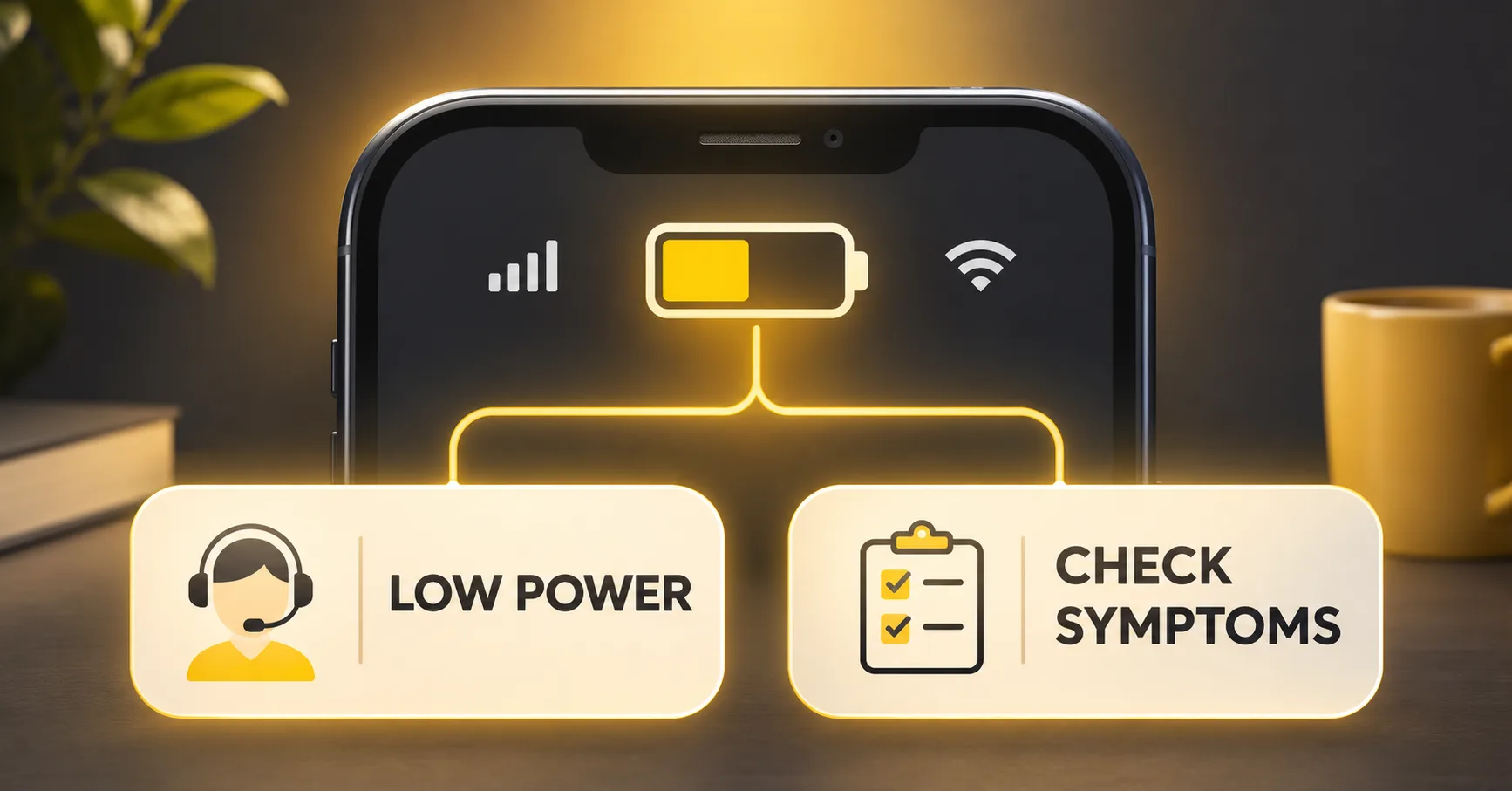
Quick answer: a phone not charging after battery replacement does not automatically prove that the new battery is defective. First identify what the phone is actually doing: showing no charging indication, showing an indicator without gaining charge, connecting intermittently, charging slowly, pausing because of temperature, or stopping at a configured limit. Then compare the battery identity, installation evidence, charger and cable, port, software state and device charging path under controlled conditions.
The timing matters because the symptom appeared after service, but timing is not root cause. The replacement may be incompatible, damaged or poorly connected. The phone may also have a faulty port, charging circuit, display, accessory, software condition or pre-existing damage. A structured workflow prevents repair businesses from repeatedly replacing good batteries while failing to identify the actual problem.
Classify What “Not Charging” Actually Means
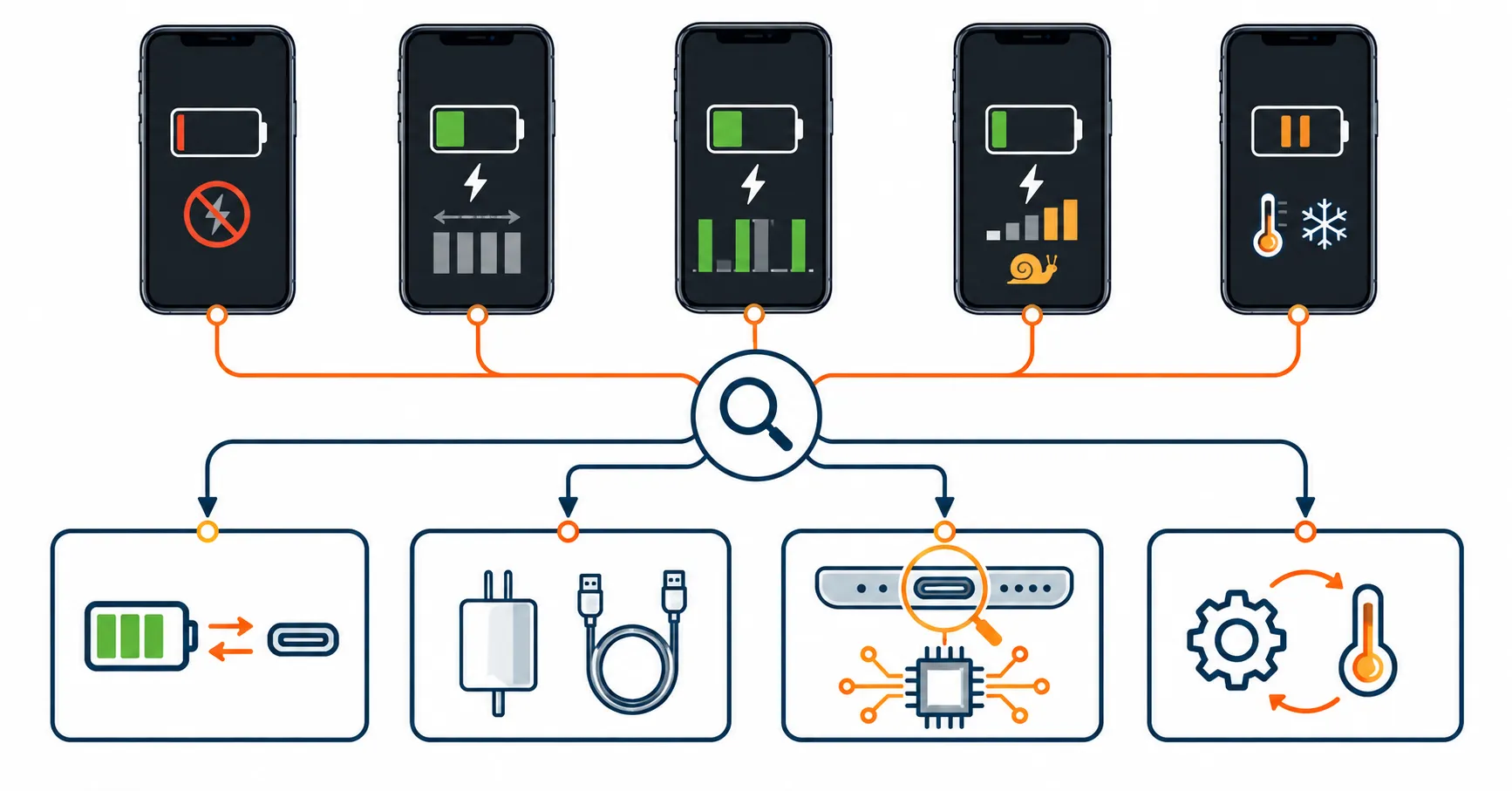
File Name: phone-not-charging-after-battery-replacement-decision-matrix.webp
Caption: A charging-state decision matrix for repair and warranty teams.
Upload Status: Pending
“Not charging” is too broad for a supplier claim. Ask the technician or customer to describe the observable state before changing settings or parts.
| Observed state | Evidence to capture | Do not assume |
|---|---|---|
| No charging icon or response | Screen state, power source, cable, connection time and whether the phone otherwise operates | The battery alone is open-circuit or defective |
| Charging icon appears but percentage does not rise | Starting percentage, elapsed time, workload, temperature, input state and percentage trend | The icon proves positive net charging current |
| Charging starts and stops | Connection events, cable or port movement, warnings, temperature and time | Intermittence comes from the battery cell |
| Charging is slower than expected | Charger profile, cable, source, device use, starting state and thermal behavior | Advertised charger power must reach the battery continuously |
| Charging pauses at a particular level | Displayed message, configured charge limit, optimization setting and temperature state | A pause is necessarily hardware failure |
| Phone remains black after connection | Available screen, vibration, sound, current-state and service evidence | A black display proves the phone is not receiving power |
Apple’s official no-charge guidance treats damaged accessories, power sources, connection quality, port condition, temperature-related limits and service needs as separate possibilities. Google’s Pixel charging guidance likewise separates charger, cable, outlet, port, screen and low-charge behavior. These official decision paths support a multi-cause investigation rather than an automatic battery rejection.
Run the Safety Screen Before Electrical Diagnosis
Stop ordinary testing if the battery or phone is swollen, leaking, hissing, venting, smoking, visibly damaged or showing uncontrolled abnormal heat. Do not charge a physically compromised battery to reproduce a claim. Follow the device manufacturer’s instructions and the facility’s trained battery-safety process.
Apple’s iPhone safety information advises discontinuing use when damage to the phone or battery is suspected and states that battery service should be performed by trained technicians. The rule is commercially useful as well as protective: unsafe reproduction can destroy evidence, create new damage and turn a quality complaint into a workplace incident.
If the safety screen passes, continue only within the approved model-specific repair and test procedure. This guide describes the evidence architecture; it does not authorize untrained opening, live-board probing, bypassing protection, forced charging or improvised power injection.
Preserve the Post-Replacement State
Before resetting software, reopening the phone or replacing another part, assign a case ID and capture:
- phone model, regional variant where relevant, asset number and pre-repair condition;
- battery supplier SKU, buyer SKU, lot, carton and purchase-order reference;
- installation date, technician, workstation and other work completed;
- reason for the original battery replacement;
- initial power-on and charging result after installation;
- software version, battery messages, charge settings and recent update or restoration state;
- charger, cable, outlet or test source and wired or wireless method;
- starting percentage, displayed charging status, elapsed time and percentage trend;
- device workload, screen state, network activity and ambient condition;
- heat, odor, swelling, leakage, shutdown, restart or intermittent connection observations.
Record what happened before diagnosing why. “Charging icon displayed for 20 minutes while percentage remained unchanged under recorded conditions” is more useful than “battery cannot charge.” If the test equipment reports input data, retain the raw record with equipment identity and setup. Do not convert an uncalibrated indicator into a precise battery-current claim.
Confirm Product Identity and Installation Evidence
Compatibility must be confirmed by device model and battery specification. Compare the buyer SKU, supplier code, physical label, intended phone, dimensions, connector, flex geometry, protection configuration and approved sample. A battery that fits into the cavity is not automatically electrically or functionally compatible.
Only trained personnel using the model-specific procedure should review internal installation. Relevant evidence may include connector alignment and seating, flex condition, insulation, adhesive location, foreign material, enclosure pressure and whether another component was disturbed during service. If the phone charged before closure but failed afterward, preserve that timeline; it may direct attention to pressure, routing or reassembly without proving the final cause.
A diagnostic improvement after reseating a connector can increase confidence in a connection issue, but it does not prove the battery cell was good or bad. Record the before-and-after condition and the intervention. Repeated opening can introduce new damage, so do not use uncontrolled reseating as a substitute for a defined repair process.
Separate the Power Source From the Phone
Use a verified charger, cable and power source suitable for the exact phone. Record the combination rather than writing “original charger” without identification. A damaged or incompatible accessory may charge slowly, trigger an unsupported-accessory message, connect intermittently or provide no usable input.
Where the device supports more than one approved charging method, a controlled wired-versus-wireless comparison can help localize the path. A phone that charges through one method but not another may direct investigation toward the affected input path rather than the battery alone. The result is diagnostic evidence, not permission to ignore a damaged port or continue using an unsafe accessory.
Change one variable at a time:
- Hold the phone, battery, software state and workload constant.
- Compare the suspected accessory with a verified suitable charger and cable.
- Record connection status, warnings, percentage and time under the same starting conditions.
- If the difference follows the accessory, investigate that accessory path.
- If the problem remains, continue to battery, installation and device comparisons.
The objective is not to maximize charging power. It is to establish whether the phone recognizes and accepts a stable, suitable source under a reproducible condition.
Distinguish No Input, No Battery Gain and Net Discharge
A charging symbol only shows that the system recognized some charging state; it does not by itself prove that energy stored in the battery is increasing. The phone may consume as much as or more than the available input during a heavy workload. Charging may also be reduced by temperature management, accessory limitations or device control.
| Question | Controlled observation | Possible branch |
|---|---|---|
| Does the phone recognize external power? | Connection state, warning and repeatability with a verified source | Accessory, port, device input or software |
| Does battery percentage increase at controlled idle? | Starting level, interval, workload and percentage trend | Battery gain, measurement delay or charging limitation |
| Does percentage fall while connected? | Input source, workload and time-series trend | Available input versus device demand |
| Does charging pause with a temperature message? | Ambient and device temperature context plus displayed status | Thermal management or abnormal heat investigation |
| Does the behavior follow one battery or one phone? | Authorized known-good cross-comparison | Battery/installation versus device-side confidence |
The existing ESC draft on connected-state battery decline owns the specific case where battery percentage falls while power is attached. This page owns the broader initial classification. If the evidence confirms net decline during an approved connected test, route the case to that diagnostic path rather than repeating it here.
Check Temperature and Software Charging Controls
Charging may slow, pause or stop temporarily when the phone is too warm or too cold. Apple explains in its thermally limited charging guidance that iOS may slow or pause charging until temperature returns to an acceptable range. Google also notes that Pixel phones may pause charging when too warm.
Google’s Pixel charging guidance also notes that charging may pause when the phone becomes too warm. A charge pause can therefore show that device protection is operating. It does not prove that the replacement battery is defective, but repeated abnormal heat under matched normal conditions still requires a separate thermal investigation.
Also record charge-limit and optimization settings. Apple’s no-charge guidance notes that supported iPhones may stop at a configured charge limit and that optimized charging can delay charging beyond a certain level. Do not classify an intentional 80% limit, temperature hold or learned charging schedule as “cannot charge” until the displayed status and settings are checked.
Use Known-Good Cross-Comparison Carefully
When the sample is safe and the work is authorized, use a verified compatible reference device and an approved battery to separate variables. Keep the charger, cable, software state, ambient condition, starting level and observation interval consistent.
- If the behavior follows one battery across suitable reference devices, the battery or its assembly becomes more plausible.
- If several approved batteries show the same failure only in one phone, the phone, installation environment or charging circuit becomes more plausible.
- If the behavior changes with the charger or cable, investigate the accessory and input path.
- If the result changes after an update, restoration or stabilization period, preserve the software timeline.
- If the symptom cannot be reproduced, record “not reproduced under stated conditions,” not “the complaint was false.”
Do not use a cross-test on swollen, leaking, damaged or uncontrollably hot batteries. Do not bypass the battery protection path or force-charge a sample. A comparison narrows the investigation; it does not replace qualified device diagnosis or supplier root-cause work.
Route the Warranty Claim by Evidence
ESC’s mobile phone battery warranty workflow provides the general claim structure. For a battery replacement charging problem, add the observed charging-state category and the comparison matrix.
| Evidence pattern | Provisional disposition | Required follow-up |
|---|---|---|
| Failure follows one verified battery | Battery claim becomes more plausible | Hold unit, confirm lot and request supplier analysis |
| Failure stays with one device across approved batteries | Device-side diagnosis | Review port, charging circuit, software and repair history |
| Failure follows one charger or cable | Accessory/input issue | Remove suspect accessory and document identity |
| Charging paused by documented thermal or configured control | Conditional observation | Verify normal recovery under approved conditions |
| Wrong model or installation evidence found | Compatibility or process issue | Correct mapping or technician process; define commercial responsibility |
| Symptom not reproduced | Inconclusive | Retain evidence and monitor repeated cases |
Warranty depends on the specific product and agreement. A claim outcome should state what was observed, which conditions were tested, what alternatives were excluded, what remains uncertain and what commercial action was agreed.
Decide When One Case Becomes a Batch Investigation
One phone that will not charge may be an installation or device event. Escalate toward a lot investigation when the same classified symptom appears across multiple verified devices, multiple technicians or more than one customer; when samples from one identifiable lot differ from the approved reference; or when product identity and traceability cannot separate potentially affected stock.
Track quantity received, inspected, installed, sold, returned and remaining. Compare lot, carton, production or packing date where available, facility, technician, phone model, charger and symptom category. Do not combine no-charge, slow-charge, net-discharge and heat complaints into one numerator unless the analysis explicitly explains the grouping.
The supplier investigation should cover cell and protection records, connector and flex configuration, assembly and inspection history, retained samples, rework, material or process changes, and comparison with unaffected lots. Request containment, root-cause status, corrective action, owner, due date and effectiveness verification. “No other complaint” is useful context but not proof that the reported unit is acceptable.
Prevent Charging Claims Before Bulk Release
Use ESC’s mobile phone battery incoming-inspection guide to connect every sample to its approved model, connector, flex, protection, label and lot. Then add a charging acceptance record for selected samples under verified devices and accessories.
A useful approval plan defines:
- exact phone models and variants;
- approved battery version and reference sample;
- approved chargers, cables and charging methods;
- starting condition and observation interval;
- software state, charge settings and temperature conditions;
- charging-state evidence and acceptance criteria;
- sample selection across cartons or lots;
- action for intermittent, slow, paused or no-charge results;
- supplier change-notification requirements.
When charging tests also assess runtime, keep the questions separate. ESC’s phone battery runtime acceptance test focuses on controlled discharge performance. A battery can pass a limited charging observation without proving its full usable capacity, and a runtime result does not prove every charging-path function.
Frequently Asked Questions
Why is an iPhone not charging after battery replacement?
Possible branches include battery identity, connector or flex condition, installation, charger, cable, port, temperature management, charge settings, software and device charging circuitry. The post-repair timing requires investigation but does not identify the cause by itself.
Does a charging icon prove the replacement battery is charging?
No. It indicates that the system recognizes a charging state, but battery percentage may remain flat or fall if input is limited, workload is high, charging is paused or another fault exists. Record a time-series result under controlled conditions.
What should a repair shop do when a new battery is not charging a phone?
A new phone battery not charging should trigger classification of the observed state, a safety screen, preservation of product and installation evidence, verification of the power source, and authorized known-good comparisons. Do not repeatedly swap parts without recording each change.
Why might a phone stop charging at 80% after replacement?
A configured charge limit, optimized charging behavior or temperature control may pause charging. Check the device’s displayed status and supported settings before treating the result as battery failure.
What if a phone won't charge after battery replacement but charged before service?
The before-and-after timing raises the priority of battery identity, connection, flex routing, installation and other work performed during service. It still does not exclude charger, port, device or software causes, so preserve the original state and compare variables systematically.
Make No-Charge Decisions Repeatable
A strong no-charge workflow begins with a precise symptom and ends with a traceable disposition. Separate no indication, no battery gain, intermittent charging, slow charging, thermal pause and configured limits. Then control the source, battery, device, software and test conditions so the result can support a repair decision, supplier claim or lot review.
For an ESCCharge charging-validation or warranty review, send the phone models, battery SKU and lot, approved reference, installation stage, charger and cable, software and charge settings, ambient condition, starting percentage, charging-state timeline, warnings, comparison results and required supplier response. Compatibility, tests and acceptance limits must be confirmed for the specific model and method.
External Source References
- Apple Support — If your iPhone or iPod touch won’t charge — updated 2025
- Apple Support — Understand Thermally Limited Charging on iPhone — accessed 2026
- Apple Support — Important safety information for iPhone — accessed 2026
- Google Pixel Help — Fix a Pixel phone that won’t charge or turn on — accessed 2026
- Google Pixel Help — Charge your Pixel phone — accessed 2026