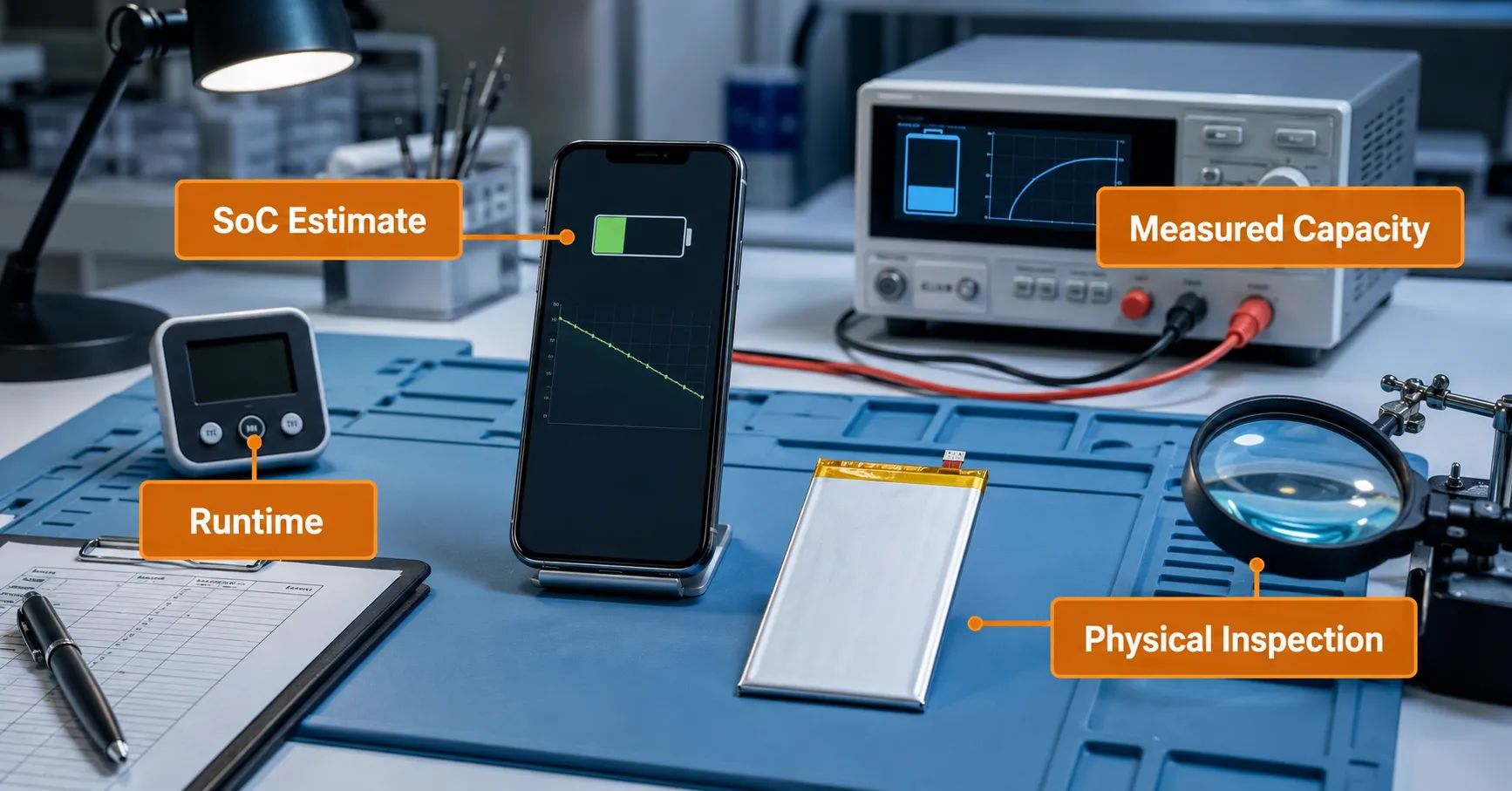
iPhone battery calibration should not be treated as a repair that restores missing capacity or corrects a poor-quality cell. In repair conversations, “calibration” may mean restarting the phone, resetting settings, observing battery percentage through charge and discharge, waiting for software estimates to stabilize, or referring to a model-specific system recalibration. These actions answer different questions. None can rebuild damaged chemistry, increase true cell capacity, repair a pinched flex, correct a wrong connector or remove a structural safety risk.
For repair chains, refurbishers and warranty teams, the useful goal is not to force the screen to show a preferred number. The goal is to determine whether the displayed state of charge behaves consistently with controlled charging, runtime, load and measured battery evidence. A release decision should combine identity, installation, electrical condition, capacity verification, functional performance and software observations.
Why the Word Calibration Causes Warranty Errors
Customers and technicians often use one word for several unrelated events. A percentage jump after restart may be called a calibration issue. A battery-health value that changes after several days may also be called calibration. Some teams use the term for a complete discharge followed by charging. Others use it for tool-assisted programming or a battery configuration workflow.
When these meanings are mixed, a workshop can release a physically weak battery because its percentage display looks stable, or replace a good battery because an estimate has not yet settled. The service record should state the exact action performed and the evidence observed instead of using “calibrated” as a pass result.
Separate the Five Meanings of Calibration and Reset
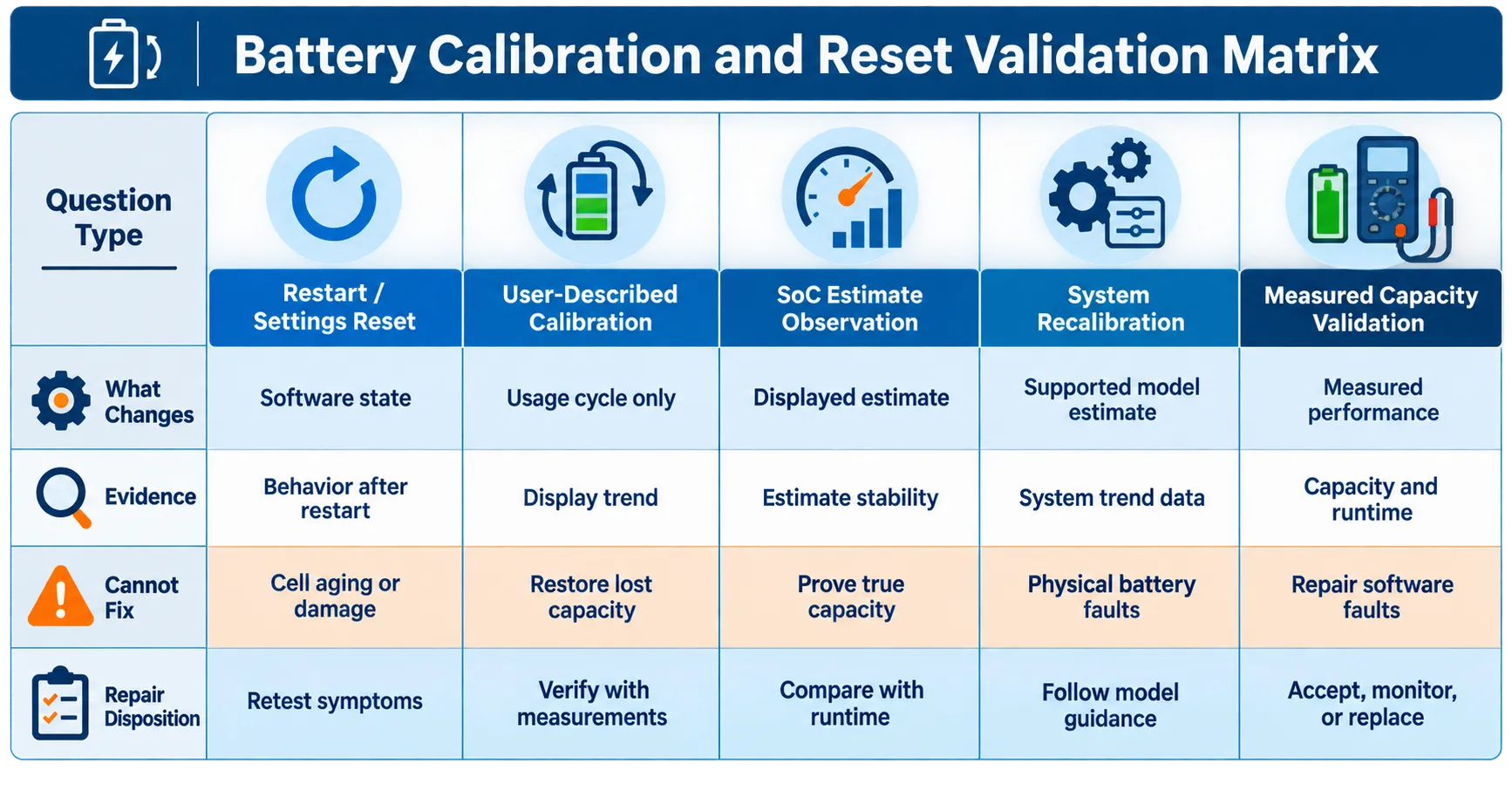
| Term used by a repair team | What it may change or reveal | What it does not prove |
|---|---|---|
| Restart or settings reset | Clears a transient state or changes configured behavior | True capacity, cell quality, safe construction or correct installation |
| User-described calibration cycle | Creates a longer observation window across charging and use | That a battery gained physical capacity or that deep discharge is required |
| SoC estimate observation | Shows whether displayed percentage follows charge and discharge consistently | Measured ampere-hour or watt-hour capacity by itself |
| Apple system recalibration | Updates battery-health reporting on specified models and software | A universal reset procedure for every iPhone or replacement battery |
| Laboratory capacity test | Measures delivered capacity under a defined method and cutoff | Perfect fit, charging behavior, software status or future service life |
Use these definitions in training, work orders and warranty records. If a supplier says a battery “needs calibration,” ask which row applies, what model is affected, what procedure is required and what acceptance evidence should result.
What an iPhone Battery Reset Can and Cannot Do
An iPhone battery reset may refer to restarting the device, changing a setting or clearing a temporary software condition. These actions can be useful diagnostic controls. They may show that a complaint depended on a transient process or configuration. They do not add active material to the cell, reverse chemical aging or repair hardware.
Do not use reset language to close a case when the device still shows unexpected shutdown, unstable charging, short controlled runtime, excessive heat or a repeatable percentage jump. Record the state before and after the action, then repeat the same controlled test. A change without repeatability is an observation, not a root-cause conclusion.
Resetting all device settings can also alter network, privacy, notification or other customer configurations. Repair businesses should follow their authorization and data-handling policies instead of treating a broad reset as a harmless default step.
Understand State of Charge as an Estimate
State of charge, or SoC, is the estimated amount of usable charge remaining at a given moment. The displayed percentage is not a direct laboratory capacity measurement. It is a system estimate informed by battery and device observations over time. Load, voltage behavior, temperature, software state, battery interface and previous operating history can affect what the user sees.
A stable percentage curve is helpful because it supports predictable customer use. However, a smooth display can coexist with insufficient true capacity. Conversely, an irregular percentage can arise from estimation, interface, installation, device or battery problems. This is why iPhone battery SoC validation must be compared with controlled charge, runtime and electrical evidence.
Apple’s battery-usage guidance shows that iPhone records battery-level and activity information, including when it was last fully charged. Repair teams can preserve these observations, but application percentages and daily graphs do not replace a defined battery-capacity test.
Do Not Turn Deep Discharge Into a Universal Procedure
Some informal instructions tell users to drain a phone until it shuts down and then charge it to full. A repair organization should not make repeated forced deep discharge a universal requirement merely because it is commonly called calibration. The process consumes time, changes the test history and may expose a weak device to shutdown without proving why the estimate was inaccurate.
If a full operating-range observation is included in an approved validation plan, define the start condition, workload, environment, charging source, cutoff behavior, supervision and acceptance criteria. Stop when safety or abnormal performance requires it. Do not intentionally bypass battery or device protections.
Apple’s charging and battery-maintenance guidance explains that rechargeable batteries chemically age and that temperature and charging history affect lifespan. That supports careful, controlled observation—not a claim that one discharge/charge routine restores lost chemistry.
Apple System Recalibration Is a Specific Feature
Apple documents a battery-health reporting recalibration introduced with iOS 14.5 for iPhone 11, iPhone 11 Pro and iPhone 11 Pro Max. According to Apple’s official recalibration explanation, the system recalibrates estimates of maximum capacity and peak performance capability during regular charge cycles and may take weeks.
This is a model- and software-specific reporting process. It should not be generalized into a manual command that repairs every iPhone battery. Apple also distinguishes inaccurate health reporting from actual battery health in that particular context. A repair team should capture the exact on-screen message, model and software version before applying this explanation.
Battery percentage recalibration in general workshop language should therefore be documented carefully. If the phone is not one of the models covered by the cited Apple process, do not label an unexplained percentage change as the same feature.
What Calibration Cannot Repair
- Insufficient real capacity: a reporting change cannot create missing stored energy.
- High internal resistance: an estimate may change, but weak voltage behavior under load remains a physical performance issue.
- Damaged cell or pouch: swelling, deformation, seal damage or abnormal heating requires safety disposition, not calibration.
- Wrong battery identity or fit: software observation cannot correct the wrong dimensions, connector, flex route or approved model mapping.
- Installation damage: a pinched flex, poor connector seating, missing insulation or disturbed components need physical investigation.
- Charging-path or board fault: a weak port, charging circuit issue or abnormal device load remains outside a battery-estimate reset.
- Unsupported system promise: no reset should be used to guarantee health display, no notification or absence of an unknown-part message across software versions.
Capacity claims must be verified for the specific battery model and method. Compatibility must be confirmed by device model and battery specification. These controls remain necessary even when the displayed health value appears favorable.
Build a Post-Replacement Validation Sequence
A repeatable workflow should move from low-risk checks to longer performance evidence:
- Confirm identity: record device model, battery SKU, revision, lot and approved compatibility mapping.
- Inspect installation: check accessible connector, flex, insulation, adhesive and physical condition evidence.
- Record baseline state: software version, displayed percentage, health or parts messages, temperature and starting charge condition.
- Verify charging: use an approved known-good source and cable; observe connection stability and percentage direction.
- Run a controlled discharge or runtime observation: define workload, network, brightness, environment and duration.
- Compare SoC behavior: note jumps, stalls, unexpected shutdown or restart differences.
- Measure capacity where required: use the approved equipment, method, conditions and cutoff for that product.
- Repeat critical observations: separate one transient result from a reproducible failure.
- Release, hold or escalate: apply documented acceptance criteria and preserve evidence.
The mobile phone battery incoming-inspection guide can connect identity and physical acceptance to the installed result. A battery should not enter a long observation sequence when it already fails a safety or identity gate.
Use a Validation Matrix Instead of One Pass Screen
| Evidence | Question answered | Release limitation |
|---|---|---|
| Stable percentage display | Does SoC reporting behave predictably in the observed condition? | Does not prove true capacity or safety |
| Controlled charging result | Does the device accept charge under the approved source and condition? | Does not prove runtime or batch consistency |
| Controlled runtime result | Does the battery support the defined use case for the test period? | Depends on workload, device and environment |
| Measured capacity | How much charge or energy is delivered under the defined method? | Does not alone approve fit, messages or future life |
| Physical and installation inspection | Is the unit correctly identified, intact and installed as intended? | Does not alone prove electrical performance |
| System screen capture | What did this model and software display at this time? | Not a universal promise across devices or updates |
Release requires the combination relevant to the buyer’s risk. A high-volume refurbishment program may need model-level sampling, operator comparison and pilot-lot evidence. A warranty investigation may need a known-good cross-test and mature claim history. One screenshot should never replace the applicable evidence set.
How to Calibrate an iPhone Replacement Battery Claim
When a customer asks how to calibrate iPhone replacement battery behavior, convert the request into measurable symptoms. Is the percentage stuck, jumping, falling rapidly, shutting down early, charging slowly or disagreeing with runtime? Record what triggered the concern and whether it began immediately after installation, after a software update or after a period of use.
Use the published post-replacement fast-drain guide when the main complaint is short runtime or abnormal discharge. Use the battery warranty evidence guide to classify installation, capacity, charging, software, host-device and battery-related causes consistently.
Do not tell the customer to repeat cycles indefinitely. Define the observation window and the condition that triggers further diagnostics, replacement, supplier review or no-fault-found handling.
Where Decode Battery and Tag-on Flex Fit
Decode Battery and Tag-on Flex describe product or repair-workflow approaches; calibration describes an observation or reporting question. They should not be treated as synonyms. A workflow may influence what the system displays, but display behavior remains separate from measured capacity, cell construction, charging performance and installation quality.
For any Decode Battery or Tag-on Flex program, validate the exact device models, software builds, hardware revisions, operator steps and sample lots. Do not promise permanent health display, no notification or no unknown-part message without model- and software-level evidence. The relevant workflow article can be linked after it is published and its live URL is verified.
Create a Calibration and Warranty Evidence Record
Record the case ID, device model, software, battery SKU and lot, installation date, displayed health and percentage observations, charging source, workload, environment, test duration, capacity method, equipment, repeat result and disposition. Separate customer evidence from workshop reproduction evidence.
If multiple units share a repeatable symptom, review the denominator and common factors before declaring a batch issue. Use a documented battery sampling plan to select additional units and devices. Keep battery revision, device condition and operator variables visible.
A case may be released, held for more observation, routed to host-device diagnosis or escalated as a battery claim. Warranty terms depend on the specific product and agreement. “Calibration required” should never be used as an undefined reason to reject a valid claim.
Frequently Asked Questions
Can calibration restore true battery capacity?
No. It may change or clarify an estimate, but it cannot replace missing active material, reverse chemical aging or create additional stored energy.
Should every replacement battery be fully discharged after installation?
No universal rule should be assumed. Use the approved validation plan for the specific device and battery, with controlled conditions and safety limits.
Why does battery percentage jump after a restart?
The displayed estimate may have changed after new observations or a system-state change, but the cause can also involve battery voltage behavior, interface, installation or host-device conditions. Reproduce the symptom and compare it with measured evidence.
Is Apple’s battery-health recalibration available for every iPhone?
No. The cited Apple process is specifically documented for iPhone 11, iPhone 11 Pro and iPhone 11 Pro Max with the applicable software. Record the exact model and message.
Does a 100% health display prove a replacement battery is good?
No. A screen value does not independently prove capacity, internal resistance, fit, charging stability, safety or batch consistency.
Validate the Battery, Not Just the Number
A sound iPhone battery calibration policy begins with precise terminology. A reset can control a software variable. SoC observation can evaluate percentage consistency. A system recalibration may update reporting on specified models. Capacity testing measures performance under a defined method. None should be used as a substitute for the others.
Repair teams should release a replacement battery only when the required identity, physical, charging, runtime, capacity and software observations meet the approved plan. If the display improves but the battery still fails controlled performance or safety checks, the unit remains a failure.
For an ESCCharge validation discussion, provide the exact iPhone models, battery SKU and lot, software versions, observed messages, sample quantity and required capacity, charging and runtime methods. Compatibility, capacity, availability, MOQ, lead time, certification documents and warranty must be confirmed for the actual battery, market and agreement.
External Source References
- Apple Support — Check battery usage on your iPhone — updated 2026
- Apple Support — About recalibration of battery health reporting in iOS 14.5 or later — updated 2026
- Apple Support — Charge and maintain your iPhone battery — updated 2025