Reports about a future A20 or A20 Pro chip may influence expectations for efficiency, but a fabrication node or processor name cannot predict complete-device runtime by itself. Display behavior, modem activity, camera use, software, thermal management, battery capacity and user settings all contribute to energy consumption.
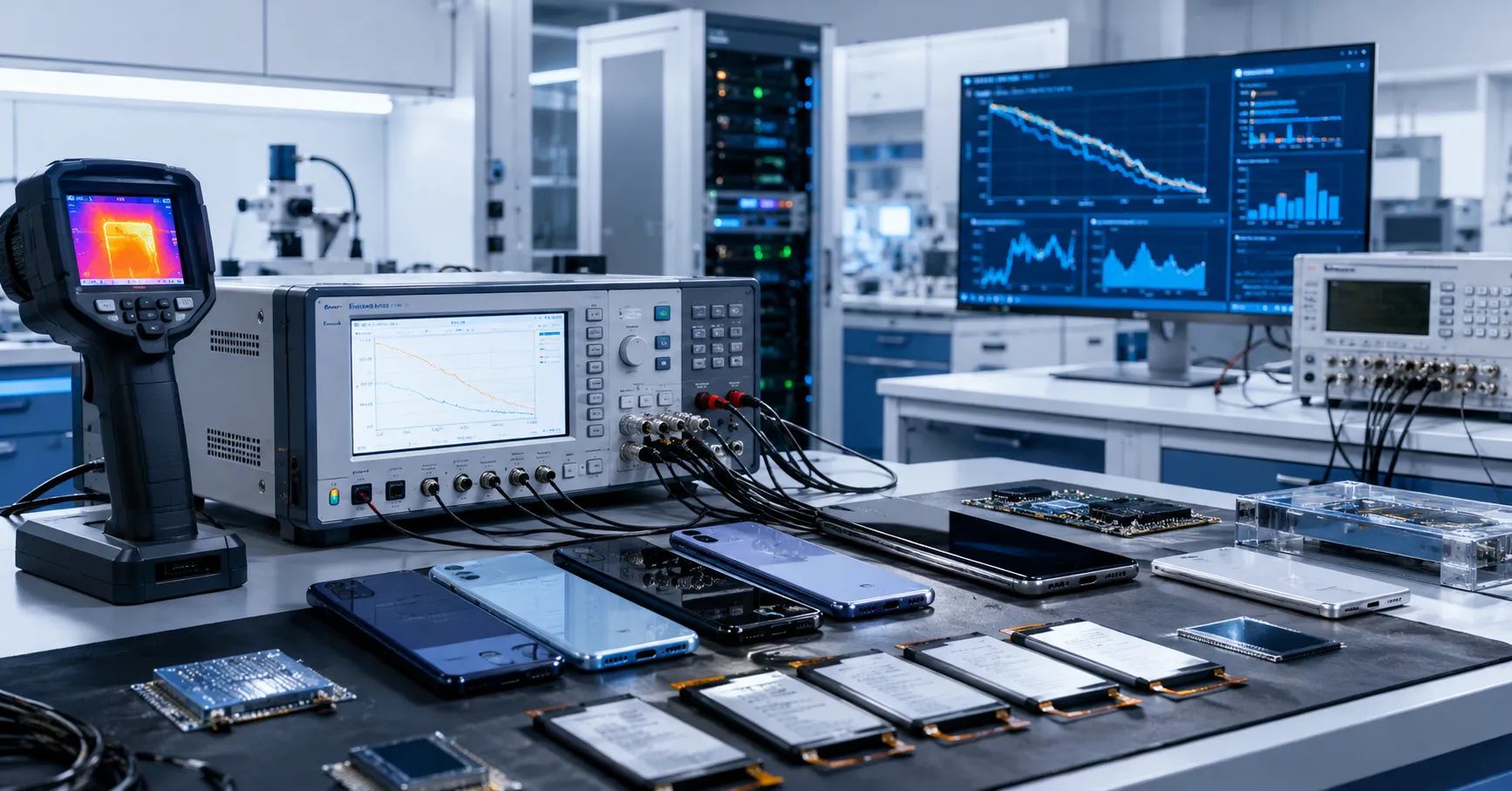
A professional iPhone 18 battery life evaluation should therefore test the complete phone under repeatable conditions. Replacement battery buyers need evidence showing how a named device, software build and battery sample behave across standby, communications, media, camera, sustained load, charging and low-state operation.
Apple has not yet published the complete product specifications and official energy behavior needed for final approval. References to A20, A20 Pro or a 2-nanometer process must remain pre-release assumptions until Apple confirms the commercial devices. This article does not claim a specific efficiency gain, runtime, battery capacity or launch configuration.
Do Not Convert a Process Node Into a Runtime Claim
A smaller semiconductor process may allow improvements in performance, power or transistor density, but the device manufacturer chooses how to use that opportunity. Additional processing capability, artificial-intelligence workloads, higher display brightness, camera functions or radio activity can consume some or all of an efficiency gain.
Even when a chip performs the same task more efficiently, the phone may use the saved power to increase performance. Conversely, a larger battery may improve runtime even if system demand also rises. Buyers should avoid headlines that translate “2nm” directly into a fixed percentage of additional iPhone 18 battery life.
For replacement batteries, the practical question is not whether a processor is theoretically efficient. It is whether the proposed battery supplies stable energy and peak power throughout the operating range without abnormal temperature, percentage behavior or shutdown.
Understand the Complete Power System
A smartphone’s operating time is produced by an interacting system:
- cell energy and usable capacity;
- battery impedance and peak-power delivery;
- protection circuit, connector and flex resistance;
- processor and graphics workloads;
- display brightness, refresh behavior and content;
- cellular modem, Wi-Fi, Bluetooth and satellite functions;
- camera, image processing and storage activity;
- operating-system services and third-party applications;
- thermal limits and performance management;
- ambient temperature, signal quality and user settings.
A runtime test that controls only screen brightness but ignores signal strength or software state can produce misleading results. The laboratory must freeze every material variable or record it well enough to explain the difference.
Build a System-Level Power Test Matrix
| Test area | Controlled condition | Primary evidence |
|---|---|---|
| Device | Exact model, region, hardware and condition | Asset record and photographs |
| Battery | Original control and traceable replacement samples | Voltage, capacity, resistance, revision and batch |
| Software | Exact iOS build, app versions and stabilization time | Screenshots and configuration record |
| Display | Brightness, refresh behavior, color mode and timeout | Measured settings and test script |
| Network | Wi-Fi or cellular mode, signal strength and data task | Network log and location |
| Environment | Ambient temperature and enclosure condition | Calibrated temperature record |
| Workload | Idle, media, browsing, camera, call and sustained load | Time, percentage, power and thermal curves |
| Outcome | Runtime, shutdown, restart and recovery | Raw data and final disposition |
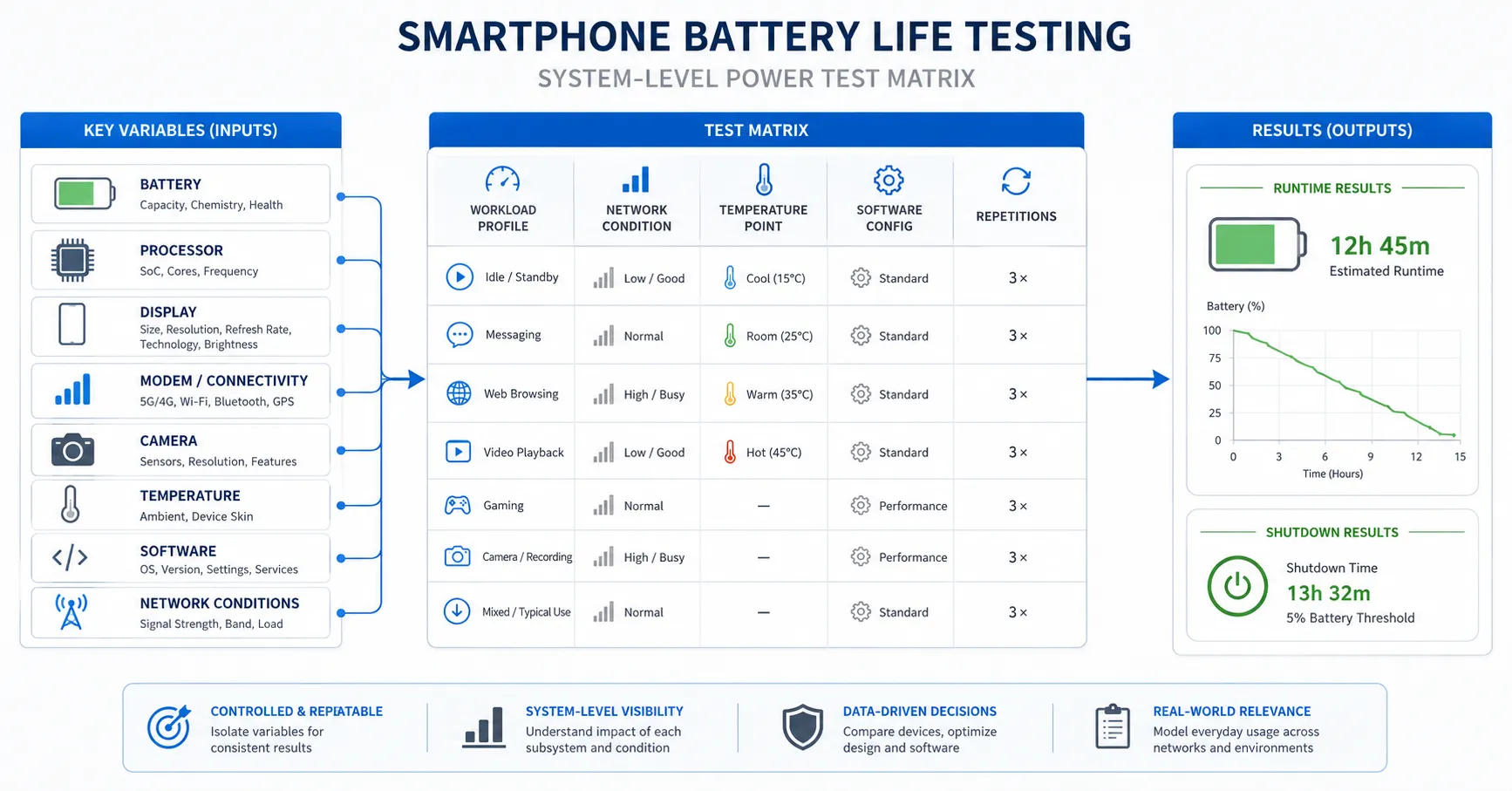
The matrix should compare like with like. A Pro device should not be compared directly with a standard device unless the purpose is explicitly to evaluate the complete products and the differences in display, radio, battery and settings are documented.
Create an Original-Battery Baseline
Before installing a replacement pack, test a retail device in stable condition with its original battery. Record the software build, Battery Health, charging configuration, storage use, network settings, display configuration and background activity.
Allow a defined stabilization period after setup or software update. Indexing, application downloads, photo analysis and cloud synchronization can increase consumption temporarily. A result collected immediately after setup should not be compared with a stabilized replacement-battery result.
Keep at least one unmodified control device. It allows the team to repeat the test when a later iOS update, application version or network condition changes the outcome.
Characterize the Battery Independently
Measure the proposed pack outside the runtime test so the laboratory understands what is being installed. Record open-circuit voltage, state of charge, AC resistance or another approved resistance measurement, dimensions, mass and protection behavior.
Verify capacity using a controlled charge-discharge method with documented equipment, temperature, charge profile, rest period, load and cutoff. Ampere-hours alone do not fully describe available energy when voltage profiles or cutoff behavior differ; retain Watt-hour data and the full curve where possible.
Apple explains in its battery and performance documentation that rechargeable batteries chemically age and that capacity and peak-power capability can decline. It also explains that higher impedance can produce a larger voltage drop under demand. These principles support testing both energy and power delivery.
Separate Energy Capacity From Peak Power
A battery may deliver acceptable measured capacity under a gentle discharge yet struggle during a short, demanding workload. Camera processing, gaming, radio transmission and other combined loads may require high instantaneous power.
Design a peak-load stage that is repeatable and safe. Record state of charge, voltage behavior, temperature, performance, restart and shutdown. Test at several states of charge because weakness may appear near the lower end rather than at full charge.
Do not intentionally exceed the approved device or battery operating envelope. The purpose is to reproduce realistic high demand, not to create an uncontrolled abuse test.
Control Display Power
The display can be a major and highly variable load. Fix brightness using a measured level where possible rather than relying only on a slider position. Disable automatic brightness unless the test specifically evaluates it. Record display refresh settings, always-on behavior, screen timeout, color mode and test content.
Static dark content, bright web pages, high-frame-rate video and outdoor visibility conditions can create different demand. Use the same media files and test script for every sample.
If the future device changes its display technology or control logic, create a new baseline instead of applying results from an earlier model.
Control Cellular and Wi-Fi Conditions
Radio consumption can change significantly with signal quality, network technology, movement, handover and data activity. A phone searching for service or transmitting under weak coverage may use more power than the same phone on stable Wi-Fi.
For laboratory comparison, use a controlled network or a repeatable location and time window. Record signal indicators, carrier, radio mode and data task. Separate Wi-Fi, cellular browsing, voice call and weak-signal scenarios.
If regional models use different radio hardware, do not merge their results. Battery approval should state which variants were tested.
Measure Standby and Background Drain
Standby testing is valuable because complaints often describe overnight drain rather than failure under an obvious workload. Start from a defined percentage, close or configure applications consistently, control radios and record the observation period.
Review battery-usage information before assigning responsibility. Background synchronization, location services, application updates, push activity and poor signal can dominate a short test. Repeat suspicious results on the original battery and a second replacement sample.
A small percentage change is difficult to interpret when the displayed percentage is rounded. Longer controlled observation and direct energy measurements can provide stronger evidence.
Run Media and Browsing Tests
Use locally stored video to reduce network variation when testing display and decoding behavior. Then use a separate streaming stage to include radio and network effects. Fix resolution, frame rate, brightness, volume and playback duration.
For browsing, use a stable page set or controlled local content. Dynamic advertising, video and server changes can make public websites unsuitable for precise comparisons. Record percentage and temperature at fixed intervals.
These tests should reveal trends, not produce an unconditional consumer runtime claim. Actual users combine many workloads and settings.
Test Camera and Processing Loads
Camera use can activate the image sensor, display, processor, storage and thermal system simultaneously. Define repeatable stages for preview, still capture and video recording, using the same resolution, frame rate, stabilization settings, lighting and duration.
Monitor temperature and any change in performance or recording behavior. If the device reduces brightness or processing because of heat, record the time and condition rather than reporting only the final percentage.
A replacement pack that passes light video playback may still require investigation if camera workloads expose voltage instability or abnormal temperature.
Use a Controlled Sustained-Load Stage
A sustained workload helps reveal thermal equilibrium, power limitation and sample consistency. The chosen application or test routine must be version controlled and repeatable. Avoid relying on an online benchmark that changes its content or scoring method without notice.
Record performance, battery percentage, temperature and elapsed time throughout the stage. Separate a battery-related voltage or temperature event from normal system thermal management.
Do not describe lower performance automatically as a defective battery. Confirm whether the original battery, replacement samples and multiple devices show the same behavior under identical conditions.
Evaluate Charging as Part of the Energy System
Runtime begins with a controlled charge. Use a known-good charger and cable, control starting state of charge and ambient temperature, and record voltage, current, input power, percentage and temperature over time.
Apple’s current Charge Limit and Optimized Battery Charging guidance explains that supported iPhones may use charge limits and learned charging behavior. A charging pause or a result below 100% can therefore reflect settings or software rather than cell capacity.
For comparable runtime testing, define whether the phone starts at the displayed 100%, a selected charge limit or a measured energy state. Document any stabilization or rest period after charging.
Control Temperature
Battery performance, resistance, charging and device power management all respond to temperature. Condition devices and samples in the same environment before testing. Record ambient and device temperature using the same measurement locations.
Apple notes that impedance can temporarily increase at low state of charge and in cold conditions. High temperature can also affect charging behavior and long-term battery aging. Do not compare a cool original device with a replacement sample tested immediately after installation or charging.
Stop and quarantine a sample if it shows swelling, leakage, odor, damaged insulation, abnormal heat or unstable electrical behavior.
Analyze Percentage Progression and Shutdown
Keep interval data instead of recording only total hours. A curve can reveal rapid early decline, long plateaus, abrupt jumps or a shutdown at a reported remaining percentage.
At shutdown, record workload, temperature, voltage evidence where available, reported percentage and whether the phone restarts without charging. Repeat under the approved method and compare with control units.
The diagnosis may involve capacity, impedance, communication, estimation, protection, installation, software or device hardware. Do not classify every unexpected shutdown as low capacity.
Compare Results by Energy and Work Completed
Runtime alone can be misleading if device performance differs. A phone completing more processing work may consume energy faster while being more efficient per task. Where possible, record both elapsed time and the amount of work completed.
For media, record playback duration under fixed settings. For data tasks, record transferred data. For camera tests, record capture duration and configuration. For sustained processing, retain performance and thermal curves.
This allows buyers to distinguish “longer time at lower performance” from “more useful work per unit of energy.”
Design a Replacement-Battery Comparison
- Select traceable retail devices of the same verified configuration.
- Establish the original-battery baseline.
- Characterize replacement samples independently.
- Use one controlled installation process.
- Stabilize software and charging state.
- Run standby, media, browsing, call, camera and sustained-load stages.
- Repeat low-state and restart observations.
- Compare capacity, runtime, temperature, percentage curves and shutdown.
- Repeat failures with control batteries and devices.
- Approve only the tested battery revision and production process.
ESC’s guide to fast drain after battery replacement can help classify installation, software and device variables. Its general troubleshooting logic should be converted into a model-specific test plan for the released phone.
Set Acceptance Limits From Verified Samples
Do not choose a universal runtime or temperature limit from the internet. Build model-specific limits using approved retail devices, known-good batteries, measurement uncertainty and commercial risk.
Review distributions rather than averages alone. A batch can show a normal average while containing high-resistance, low-capacity or thermally abnormal units. Define warning, retest, quarantine and rejection rules before inspecting a shipment.
Link results to supplier batch, cell revision, protection board, flex, connector and production date. This makes later complaints traceable to incoming evidence.
Avoid Common Interpretation Errors
- Assuming a 2nm chip guarantees a fixed runtime improvement.
- Comparing different phone models without controlling hardware differences.
- Testing immediately after setup or software update.
- Ignoring network signal and background synchronization.
- Using displayed percentage as the only measurement.
- Equating bench capacity with installed-device performance.
- Ignoring impedance and peak-power delivery.
- Comparing samples at different temperatures.
- Using one successful test to approve mass production.
- Publishing rumored capacities as verified specifications.
Frequently Asked Questions
Will an A20 chip automatically extend runtime?
No. Processor efficiency is one variable. Display, modem, software, camera use, thermal management, battery energy and performance targets determine the complete result.
Can an older iPhone be used as the control?
It can support method development, but final approval requires a baseline from the same released model and hardware configuration.
Is a capacity test enough for replacement-battery approval?
No. Buyers should also test charging, impedance or power delivery, installed runtime, temperature, percentage progression, restart and shutdown behavior.
Why can two identical phones produce different runtime?
Battery condition, software state, signal quality, applications, temperature, settings and hardware variation can affect the result. Control or document these variables.
Should a supplier guarantee a rumored runtime before launch?
No. Claims should remain conditional until commercial devices and production-representative batteries have passed a controlled test plan.
Approve the Battery From Complete-System Evidence
Reliable iPhone 18 battery life testing must go beyond processor rumors and a single discharge time. The buyer should connect verified battery energy and power capability with complete-device behavior under controlled software, display, network, temperature and workload conditions.
Send ESC your target device versions, sales markets, workload priorities, expected order volume and laboratory requirements. ESC can discuss a sampling and model-level validation plan after commercial specifications and devices are available. Final capacity, compatibility, runtime, MOQ and production claims require project-specific approval.
External Source References
- Apple Support — iPhone Battery and Performance
- Apple Support — About Charge Limit and Optimized Battery Charging
- Apple Support — About iPhone Parts and Service History