
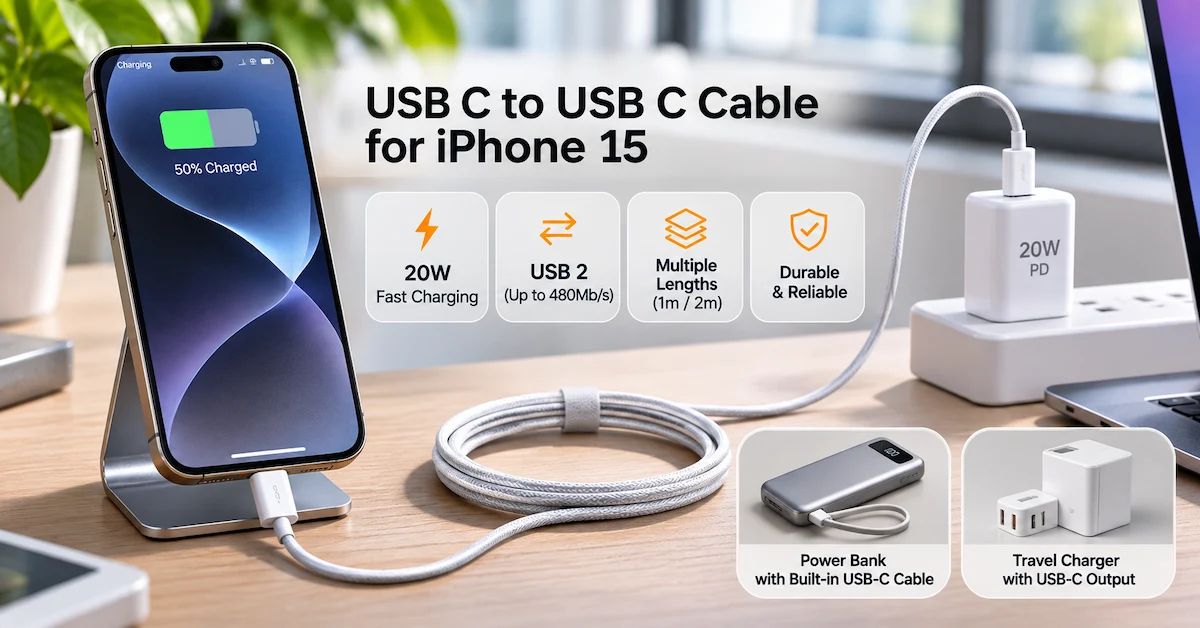
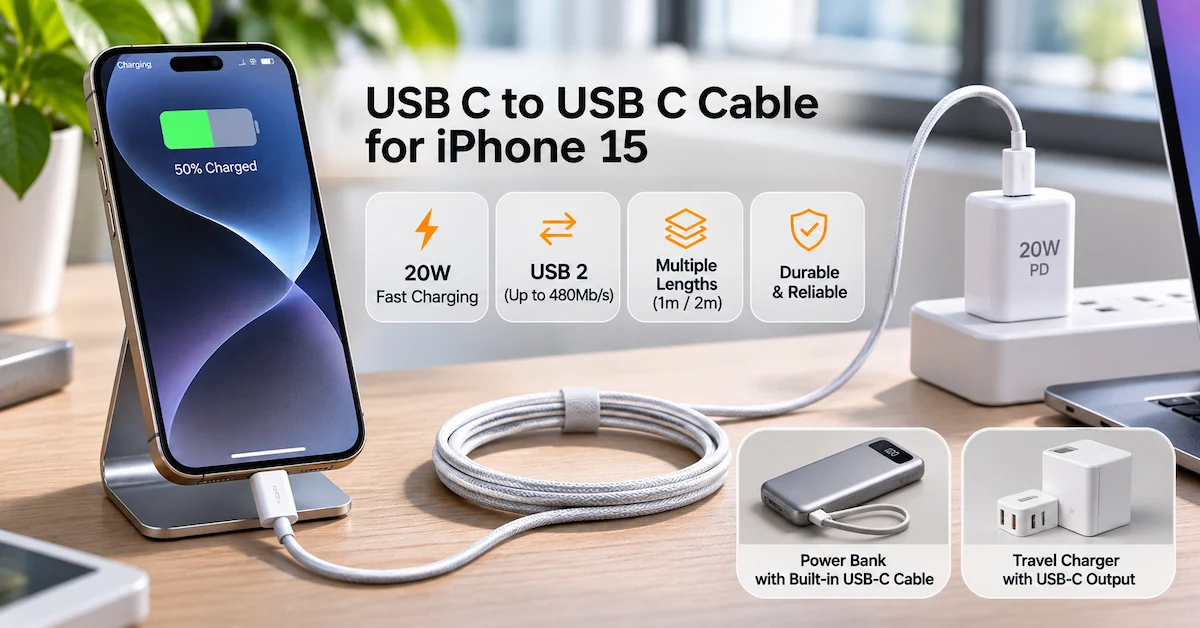
Quick Answer: A USB C to USB C cable for iPhone 15 should support standard USB-C charging and work with a compatible USB Power Delivery (PD) adapter. A correctly specified 60W-rated cable is more than sufficient for normal iPhone 15 fast charging, while Apple recommends a 20W or higher adapter for its published fast-charge performance. The iPhone 15 and 15 Plus support USB 2 data speeds up to 480Mb/s, so an expensive 10Gbps cable will not increase their maximum USB data-transfer speed. Choose cable length, construction, and quality verification according to your actual needs.
Choosing a USB C to USB C cable for iPhone 15 may appear simple because both ends use the same connector.
However, not every USB-C cable offers the same electrical capabilities, data performance, durability, or suitability for daily use.
A cable advertised as 240W does not automatically charge an iPhone faster. Similarly, a cable supporting high-speed USB data does not increase the data capabilities of an iPhone 15 beyond its built-in limits.
For consumers, these differences affect purchasing value and charging reliability.
For electronics retailers, repair shops, distributors, and private-label brands, they also affect product positioning, purchasing specifications, returns, and customer satisfaction.
This guide focuses primarily on the standard iPhone 15 and iPhone 15 Plus, rather than repeating advanced data-transfer requirements for the Pro models.
It explains the technical requirements, common compatibility mistakes, cable selection priorities, and B2B inspection methods that help buyers make more informed decisions.
Does the iPhone 15 Use a USB-C to USB-C Cable?
Yes. The iPhone 15 and iPhone 15 Plus use a USB-C connector instead of the Lightning connector found on earlier iPhone generations.
Apple includes a 1-meter USB-C charging cable with the iPhone 15.
The power adapter is sold separately.
For ordinary charging, the setup is straightforward:
-
Connect one USB-C end to the iPhone 15.
-
Connect the other end to a compatible USB-C power adapter.
-
Plug the adapter into a suitable power outlet.
-
Confirm that the phone begins charging.
Apple also supports charging through compatible USB-C computer ports and portable charging devices.
According to Apple's official iPhone 15 technical specifications, the standard iPhone 15 supports charging, DisplayPort output, and USB 2 data transfer through its USB-C connector.
The key point is that USB-C describes the physical connector, not a guaranteed charging wattage or data speed.
iPhone 15 vs. iPhone 15 Plus vs. iPhone 15 Pro: Cable Requirements
All four original iPhone 15 models have USB-C ports.
Their charging requirements are broadly similar, but their wired data-transfer capabilities differ.
| iPhone model | Connector | Published USB data capability | Everyday charging cable |
|---|---|---|---|
| iPhone 15 | USB-C | USB 2, up to 480Mb/s | Compliant USB-C to USB-C |
| iPhone 15 Plus | USB-C | USB 2, up to 480Mb/s | Compliant USB-C to USB-C |
| iPhone 15 Pro | USB-C | USB 3, up to 10Gb/s | Compliant USB-C to USB-C |
| iPhone 15 Pro Max | USB-C | USB 3, up to 10Gb/s | Compliant USB-C to USB-C |
The Pro models can take advantage of faster wired data transfers when using a compatible USB 3 cable and other suitable equipment.
The standard iPhone 15 and 15 Plus remain limited to USB 2 data speeds.
Therefore, retailers should not suggest that a premium 10Gbps cable will unlock 10Gbps transfers on a standard iPhone 15.
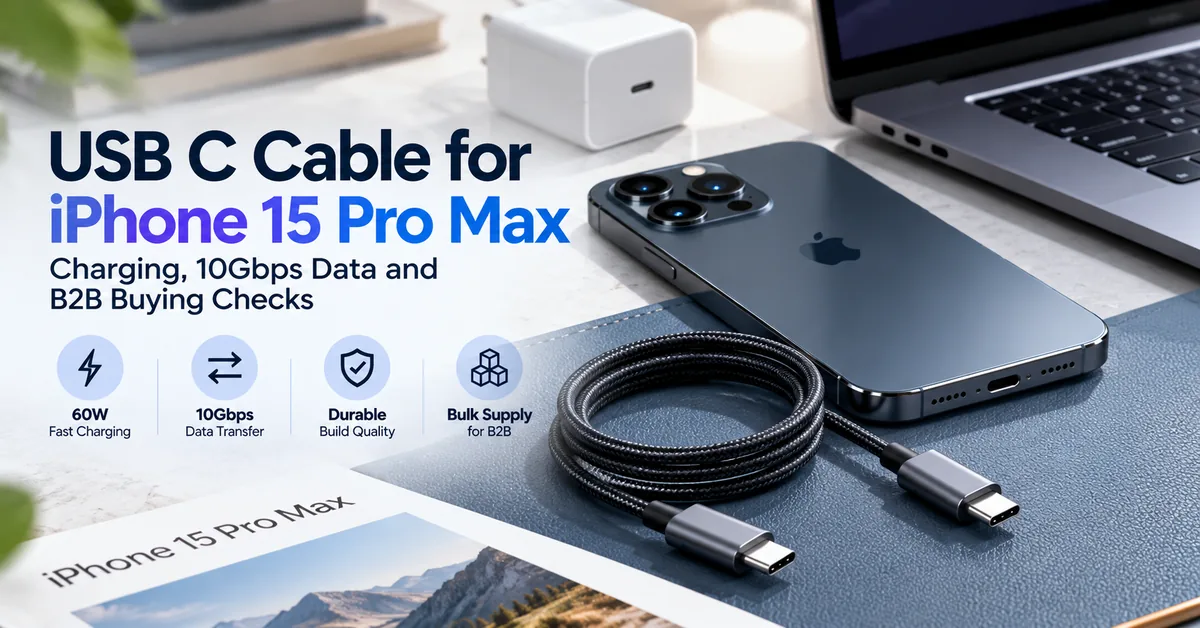
For buyers requiring advanced Pro-model data workflows, see ESC's separate iPhone 15 Pro Max USB-C cable sourcing guide.
How Many Watts Does an iPhone 15 Charging Cable Need?
For ordinary wired charging, a compliant USB-C cable rated for 60W provides sufficient power capability.
However, charging speed depends on the complete system.
The iPhone, cable, power adapter, battery condition, and operating environment all influence the result.
20W charging with USB Power Delivery
Apple lists the iPhone 15 as capable of charging up to approximately 50% in 30 minutes using a 20W or higher power adapter under its specified test conditions.
This does not mean the phone continuously charges at exactly 20W throughout the session.
Charging power changes as the battery charges and may be reduced because of temperature or other operating conditions.
Apple's USB-C charging guidance for iPhone confirms that compliant USB-C cables and USB Power Delivery adapters from Apple or other manufacturers can be used.
Does a 60W cable charge faster than a 20W cable?
The cable's advertised wattage describes the power level it is designed to carry, not the amount of power the phone must accept.
A 60W-rated cable paired with a suitable 20W USB PD adapter meets the practical charging requirement.
A higher cable rating does not force the iPhone to charge faster.
Does a 100W or 240W cable improve iPhone 15 charging?
Not by itself.
A higher-rated cable can be useful for other devices, such as compatible laptops, but the iPhone determines its own charging demand.
For everyday iPhone 15 customers, purchasing a substantially higher-power cable solely to increase phone charging speed is usually unnecessary.
USB-C Cable Specification Checklist for iPhone 15
For B2B purchasing, the technical specification should describe the actual product rather than relying on a generic label such as "fast charging cable."
| Specification | Recommended buying requirement | Why it matters |
|---|---|---|
| Connector | USB-C male to USB-C male | Correct physical connection |
| Power capability | Verified rating suitable for USB PD charging; 60W is sufficient for standard use | Prevents misleading wattage claims |
| Data support | At least USB 2 when charging and synchronization are advertised | Supports ordinary file transfer |
| Data-rate expectation | iPhone 15/15 Plus maximum USB 2, 480Mb/s | Avoids unnecessary specifications |
| Cable length | Select by use case, commonly 1m or 2m | Affects convenience and product positioning |
| Jacket construction | Documented material and mechanical design | Supports repeatable durability evaluation |
| Connector design | Correct dimensions, secure fit and strain relief | Reduces intermittent connections |
| Product marking | Accurate power and relevant data markings | Improves claim transparency |
| Compliance evidence | Relevant reports for the exact offered SKU | Supports supplier qualification |
| Packaging | Accurate model, length and performance claims | Reduces purchasing confusion |
This table is a recommended purchasing framework, not a published specification for an ESC standalone cable product.
Is a 1m or 2m USB-C Cable Better for iPhone 15?
Cable length is one of the most practical differences consumers notice.
A longer cable does not automatically offer better value.
1-meter cable
A 1m cable is convenient for desks, travel bags, power banks, and nearby charging outlets.
It generally requires less cable management and can be suitable for compact retail bundles.
2-meter cable
A 2m cable can be more convenient beside beds, sofas, or workstations where outlets are farther away.
However, longer cable construction must still meet the relevant electrical and performance requirements.
A supplier should not assume that test results for a 1m version automatically validate a longer version.
Cable length comparison
| Application | Practical starting choice | Main consideration |
|---|---|---|
| Office desk | 1m | Convenient connection and organization |
| Bedside charging | 2m | Greater reach |
| Travel charging | 1m | Easier packing |
| Power bank use | Short or integrated cable | Reduced cable clutter |
| Retail multipack | 1m and 2m variants | Different customer requirements |
| Repair workshop | Standardized tested length | Consistent diagnostic conditions |
For distributors, carrying multiple lengths may be useful when each serves a clearly different customer requirement.
The assortment should not be expanded simply to increase SKU count.
What Is the Difference Between USB-C Charging and USB Data Speed?
USB-C combines several possible capabilities within the same connector design.
However, cable construction and device support determine which capabilities are actually available.
Charging capability
Charging performance depends on power negotiation, cable rating, and power-source capability.
A cable can be suitable for fast charging without supporting high-speed data.
Data-transfer capability
USB 2 supports a theoretical maximum signaling rate of 480Mb/s.
The standard iPhone 15 and iPhone 15 Plus are limited to this USB data capability.
A higher-rated USB data cable cannot change that device limitation.
Actual file-transfer speeds may also be lower than the theoretical interface maximum.
Display output
Apple supports external display output through USB-C on the iPhone 15.
However, an ordinary charging cable should not automatically be advertised as a video-capable cable.
External display use may require a cable or adapter with the appropriate DisplayPort or video functionality.
For B2B listings, treat charging power, data speed, and video support as separate specifications.
Which USB-C Cable Construction Is Best?
Cable material and construction influence product appearance, handling, and potential durability.
However, no jacket material alone proves cable quality.
TPE or similar flexible jackets
Flexible polymer jackets are common in everyday charging cables.
Buyers should assess flexibility, strain relief, insulation integrity, and performance after repeated bending.
Braided cable designs
Braided jackets can provide a different appearance and handling experience.
A braided exterior does not automatically guarantee better electrical performance or a longer service life.
Connector construction
A robust USB-C connector should provide reliable contact and fit without excessive insertion force.
Check whether a plug is mechanically compatible with representative phone cases and accessories.
Bend and flex resistance
For wholesale buyers, a supplier's bend-test claim should identify the actual test method, sample quantity, and acceptance criteria.
An unsupported claim such as "tested for 20,000 bends" is not sufficient without the conditions and results.
The objective is not to choose the thickest or most visually impressive cable.
It is to select a repeatable configuration that meets the intended use and agreed performance criteria.
Why Is My iPhone 15 Charging Slowly With a USB-C Cable?
Slow charging does not necessarily indicate a defective cable.
Several factors should be checked before replacing charging accessories.
The adapter does not provide enough power
An older or low-output adapter may charge the phone more slowly than a suitable USB Power Delivery charger.
For the iPhone 15, a compatible 20W or higher USB-C adapter is the practical reference for Apple's published fast-charge performance.
The phone is too warm
Charging speed can be reduced when the phone becomes too hot.
Avoid charging in excessively hot locations or under conditions that cause unusual heating.
A multiport charger shares power
When multiple devices use the same charging adapter, the output available to each port may change.
Buyers should test the actual charging configuration rather than relying only on the adapter's headline wattage.
The cable or connector is damaged
Visible damage, intermittent connections, or unusually hot connectors are reasons to stop using the affected accessory.
Do not continue using a cable with exposed conductors or damaged insulation.
The device battery has aged
Battery condition can influence charging behavior.
If several known-good charging accessories produce the same abnormal result, professional device diagnosis may be appropriate.
ESC also publishes guidance on iPhone charging power requirements, which can help distinguish charging-adapter selection from device-level problems.
Should USB-C Cables Have USB-IF Certification?
USB-IF provides certification and compliance programs for USB cables and connectors.
Its official cable and connector documentation explains the applicable testing framework and labeling requirements.
For USB-C-to-USB-C cables submitted to the USB-IF compliance program, the cable must use appropriate power-capability markings.
The current framework includes 60W and 240W power ratings and, where applicable, data-speed markings.
What should B2B buyers verify?
If a supplier claims USB-IF certification, request evidence associated with the actual product configuration.
Relevant information includes the product identification, certification or test records, correct markings, and authorization to use protected logos.
A generic certification symbol on a product image does not establish that the exact SKU has been certified.
Can a cable work without USB-IF certification?
A cable may function with an iPhone without having a verified USB-IF certification claim.
However, functioning during one charging test is not the same as demonstrating conformity with a relevant technical standard.
Do not describe a cable as USB-IF certified unless that specific claim can be substantiated.
Private-label buyers should also avoid using USB-IF trademarks without the required authorization.
How to Inspect USB-C Cables Before Wholesale Purchasing
For retailers and importers, the quality-control plan should be agreed before bulk production or delivery.
A practical incoming inspection program separates electrical performance, mechanical condition, documentation, and product traceability.
Suggested incoming QC checklist
| Inspection category | Test or document | Possible rejection reason |
|---|---|---|
| Model verification | Approved SKU, drawing and revision | Incorrect or substituted configuration |
| Connector condition | Visual and mechanical inspection | Damaged or poorly fitted connector |
| Cable jacket | Appearance and insulation check | Cuts, exposed conductors or damage |
| Charging function | Controlled USB PD charging test | Repeated disconnection or abnormal function |
| Power rating | Product-specific technical evidence | Unsupported wattage claim |
| Data function | Defined synchronization and transfer test | Advertised data function does not work |
| Length | Measurement against agreed tolerance | Incorrect product length |
| Durability | Applicable flex or bend testing | Failure against agreed standard |
| Packaging | Approved labels and artwork | Incorrect description or misleading logos |
| Batch traceability | Lot identification and inspection records | Untraceable shipment |
Sample approval before bulk orders
Request representative samples of each length and construction.
A 1m TPE cable and a 2m braided cable should not be considered identical production configurations.
Approve the relevant specifications and testing requirements for each proposed SKU.
Production consistency
For repeat orders, confirm that the supplier will control changes to connectors, wire construction, insulation materials, and other relevant components.
Any significant change should trigger appropriate review and, when necessary, renewed sample testing.
These controls help prevent approved samples and later production lots from having materially different performance.
Which Cable Specifications Should Retailers Stock?
The most useful assortment depends on customer behavior, not simply the largest number of technical features.
Recommended assortment structure
| Product positioning | Suggested configuration | Main target buyer |
|---|---|---|
| Everyday charging | USB-C to USB-C, 1m, suitable 60W rating | General consumers |
| Bedside charging | USB-C to USB-C, 2m, suitable 60W rating | Home users |
| Travel charging | Compact USB-C charging cable | Commuters and travelers |
| Repair counter | Clearly identified tested charging/data cable | Repair technicians |
| Premium multi-device | Higher-rated cable with validated capabilities | Buyers using phones and laptops |
| Integrated-cable charging | Power bank with built-in USB-C cable | Travel and convenience-focused customers |
These are illustrative retail configurations, not a list of confirmed standalone ESC cable SKUs.
Avoid unnecessary claims
For the standard iPhone 15, marketing a cable primarily on its 10Gbps or 20Gbps data capability can create unrealistic expectations.
A more meaningful retail description may emphasize correct USB-C compatibility, suitable charging capability, practical length, durability evidence, and supported data functionality.
The best product description is the one that accurately matches the customer's use.
Standalone USB-C Cables vs. Built-In Cable Power Banks
For accessory distributors, a loose USB-C cable is not the only charging product that can meet iPhone 15 users' requirements.
Power banks with integrated cables offer another product category, particularly for travel and everyday portable charging.
Comparison for B2B buyers
| Product type | Main advantage | Purchasing consideration |
|---|---|---|
| Standalone USB-C cable | Flexible use with adapters and computers | Power source must be purchased separately |
| USB-C wall charger plus cable | Convenient fixed-location charging | Verify cable and adapter separately |
| Power bank with built-in USB-C cable | Portable charging without a loose cable | Verify actual output and device compatibility |
| Multi-function travel charger | Combines multiple charging functions | Confirm operating modes and total output |
Relevant ESC charging products
ESC publishes the ESC-X030 27W 10000mAh power bank with built-in cables, which includes Type-C and Lightning charging connections and an integrated watch-charging function.
For a travel-focused configuration, the ESC-X019 65W 10000mAh 3-in-1 power bank includes a built-in Type-C cable and wall-plug functionality.
These examples represent finished charging products, not standalone USB-C data cables.
Their published ratings should be interpreted according to the relevant charging mode and output specifications.
Buyers should verify the quoted version, applicable device compatibility, cable function, and actual performance before placing an order.
Explore the wider ESC power bank and charger range when building an integrated-cable charging assortment.
How to Calculate the Real Cost of Bulk USB-C Cables
The lowest unit price does not automatically produce the lowest total purchasing cost.
For B2B buyers, consider the complete cost of accepted, saleable products.
Effective Cost per Accepted Unit = Total Acquisition and Quality Costs ÷ Accepted Saleable Units
Total costs can include:
-
Unit purchase price
-
Sampling and inspection
-
Packaging and labeling
-
Freight and applicable duties
-
Rework or replacement
-
Customer return handling
-
Warranty administration
Illustrative wholesale purchasing scenario
Suppose a retailer receives a hypothetical batch of 1,000 charging cables.
The buyer identifies 30 units that fail the agreed incoming acceptance criteria.
Only 970 units are released for sale before any approved rework or supplier remedies.
The practical acquisition cost per accepted unit will therefore differ from the original quoted price per cable.
This example is illustrative and does not represent actual ESC supply performance or a measured defect rate.
The business should use its own inspection and warranty records to estimate effective purchasing costs.
What Should a USB-C Charging Accessory RFQ Include?
A clear request for quotation helps buyers compare products on equivalent terms.
B2B purchasing checklist
| RFQ field | Information to provide |
|---|---|
| Target devices | iPhone 15, iPhone 15 Plus and any additional devices |
| Product type | Standalone cable, charger bundle, or integrated-cable product |
| Connector | USB-C to USB-C where applicable |
| Charging requirement | Compatible USB PD charging |
| Power capability | Required cable or product rating |
| Data function | USB 2 or a separately defined higher-speed requirement |
| Length | Requested cable length and tolerance |
| Construction | Jacket, connector and strain-relief requirements |
| Quality control | Inspection methods and acceptance criteria |
| Packaging | Standard, branded, or private-label configuration |
| Documentation | Relevant technical and compliance evidence |
| Order volume | Sample quantity and forecast purchasing volume |
| Delivery | Destination market and required schedule |
| Commercial terms | MOQ, lead time, warranty and rework procedure |
For private-label projects, artwork and product descriptions should only include verified technical claims.
B2B inquiry opportunity with ESC
ESC's publicly verified charging portfolio includes power banks and chargers with integrated USB-C cables.
Standalone USB-C-to-USB-C cable manufacturing or stock availability has not been independently confirmed from the current public catalog.
If your project requires loose cables, confirm ESC's actual sourcing or customization scope before treating that item as an available product.
If you are developing portable charging products, travel chargers, or private-label integrated-cable solutions, contact ESC with your target market, model requirements, desired configuration, and estimated purchase volume.
Frequently Asked Questions
1. What USB C to USB C cable does an iPhone 15 need?
The iPhone 15 uses a standard USB-C connector. A compliant USB-C-to-USB-C cable suitable for USB Power Delivery charging can be used with a compatible adapter. A correctly specified 60W cable provides sufficient power capability for everyday charging.
2. Can I use a 60W USB-C cable with an iPhone 15?
Yes. The 60W rating refers to the cable's supported power capability, not the power that the iPhone must consume. Actual charging depends on the device, adapter, and operating conditions.
3. Does an iPhone 15 need a 20W charger or a 30W charger?
Apple's published fast-charge reference for iPhone 15 uses a 20W or higher adapter. A compatible 30W USB PD adapter can also be used, but it does not guarantee a fixed or proportionally faster charging time.
4. Will a 100W USB-C cable damage my iPhone 15?
A correctly designed, compliant higher-rated cable does not force 100W into the phone. The device and power source determine appropriate charging behavior. Avoid damaged, counterfeit, or technically unsuitable accessories.
5. Does the iPhone 15 support 10Gbps USB-C data transfer?
The standard iPhone 15 and iPhone 15 Plus support USB 2 data speeds up to 480Mb/s. The iPhone 15 Pro and Pro Max support faster USB 3 transfers with suitable cables and equipment.
6. Is a 2m USB-C cable suitable for fast charging an iPhone 15?
Yes, when the cable is properly designed and rated for the intended charging system. Cable length should be included in the supplier's electrical and functional verification.
7. Why does my iPhone 15 charge slowly even with a new cable?
Possible causes include an unsuitable power adapter, shared output on a multiport charger, temperature limitations, device battery condition, or a damaged connection. Check the complete charging system before replacing the cable again.
8. Can a USB-C charging cable transfer photos and videos?
Yes, if it supports data transfer. However, the standard iPhone 15 is limited to USB 2 speeds. A cable's advertised charging wattage does not establish its data-transfer capabilities.
9. What quality checks matter when purchasing USB-C cables wholesale?
Verify the exact cable configuration, connector condition, electrical performance, data functionality, cable length, labeling, mechanical testing, and lot traceability. Require product-specific evidence for certification claims.
10. Can ESC supply charging accessories for iPhone 15 users?
ESC publicly lists charging products such as power banks and travel chargers with built-in Type-C cables. Standalone USB-C cable availability should be confirmed separately. Professional buyers can contact ESC about compatible charging-product options, sample requirements, OEM packaging, and wholesale purchasing.
Conclusion
Choosing the right USB C to USB C cable for iPhone 15 begins with understanding what the phone actually needs.
For everyday wired charging, a compliant USB-C-to-USB-C cable with an appropriate power rating and a compatible USB Power Delivery adapter provides a practical solution.
Apple's 20W-or-higher charging reference offers a useful starting point, while higher cable wattage ratings should not be confused with guaranteed smartphone charging performance.
The standard iPhone 15 and iPhone 15 Plus also have USB 2 data-transfer limits, making high-speed cable claims less relevant for ordinary file-transfer applications.
For retailers and wholesalers, the most important sourcing factors are accurate product specifications, appropriate cable lengths, verified mechanical and electrical quality, honest labeling, and consistent production controls.
A well-defined purchasing specification can prevent unnecessary product complexity and improve consistency across samples and bulk orders.
For businesses developing broader charging accessory assortments, standalone cables can be complemented by integrated-cable power banks and multi-function charging devices.
ESC offers a verified range of power banks and chargers, including built-in USB-C cable models for portable charging applications.
Looking for B2B charging product solutions?
Contact ESC to discuss integrated-cable charging products, compatible configurations, sample approval, private-label requirements, and bulk purchasing. Confirm standalone cable sourcing capabilities separately before placing an order.
By aligning real iPhone 15 requirements with clear technical specifications and evidence-based purchasing decisions, accessory businesses can build more reliable charging product portfolios and reduce avoidable compatibility and quality risks.