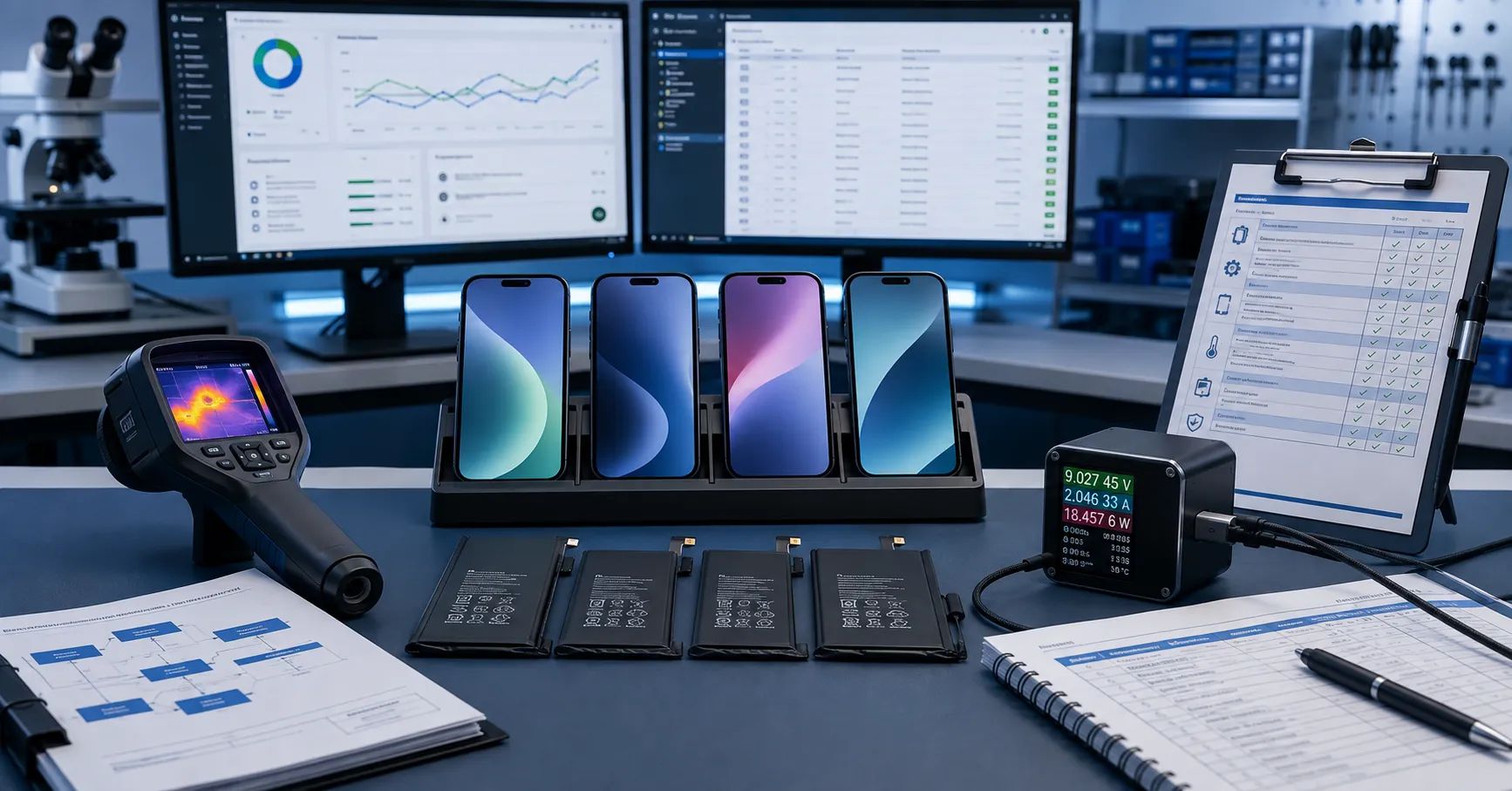
Battery compatibility should not be judged from a single successful boot after installing pre-release software. An iPhone may power on while its Battery Health information, Parts and Service History, Repair Assistant workflow, charging curve, percentage estimation, thermal behavior, runtime, or diagnostic result has changed.
A professional iOS 27 battery replacement compatibility program should compare a documented baseline with each selected pre-release build and, later, with the commercial release. The objective is to detect changes early, separate software defects from battery defects, and prevent unsupported compatibility claims from reaching repair shops or wholesale customers.
Apple currently describes iOS 27 as coming in the fall and provides beta access through the Apple Beta Software Program. Apple also warns that beta software may contain errors or inaccuracies and may not function as well as commercially released software. Testing should therefore use backed-up, non-production devices that are not business critical.
Define What Compatibility Means
“Compatible with iOS 27” is too broad unless the supplier defines the tested functions. For a replacement battery program, compatibility may include:
- correct physical installation and enclosure closure;
- stable boot and restart;
- battery detection without intermittent disconnects;
- Battery Health and maximum-capacity behavior;
- Parts and Service History status;
- Repair Assistant availability and completion;
- charging recognition and expected current behavior;
- stable battery-percentage progression;
- controlled runtime and shutdown behavior;
- acceptable temperature under repeatable loads;
- diagnostic-tool and service-workflow behavior;
- absence of new warnings after update, reset, or restore.
A battery can pass one item and fail another. Every claim should state the device model, software build, battery configuration, repair process, and functions tested.
Separate Pre-Release iOS 27 Battery Testing From Commercial Approval
Beta testing can reveal likely problems, but it cannot establish permanent compatibility. Apple may change behavior between developer beta, public beta, release candidate, final release, and subsequent maintenance updates.
Create separate statuses:
- Baseline approved: tested on the current commercial iOS release.
- Beta observation: tested on a named pre-release build for information only.
- Release candidate review: broader regression completed, but final release still pending.
- Commercial release approved: required tests passed on the public build.
- Maintenance update monitoring: selected tests repeated after later updates.
Do not print “iOS 27 compatible” on packaging based only on an early beta. Use internal wording such as “tested on iOS 27 public beta build X; commercial release verification pending.”
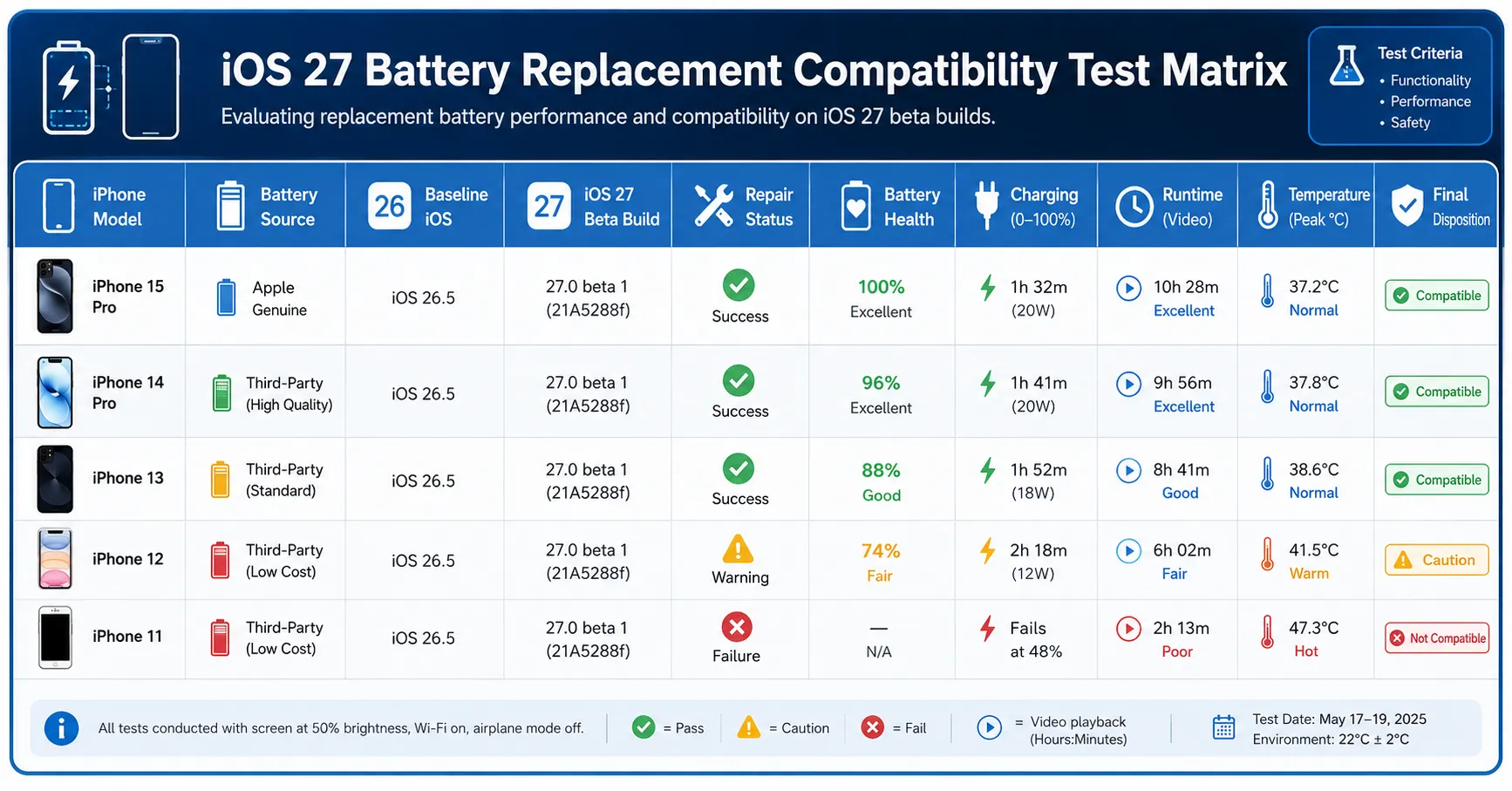
Build the Test Matrix Before Installing the Beta
| Test dimension | Required variants | Evidence |
|---|---|---|
| Device | Target iPhone models, storage variants, and regions | Model, serial reference, hardware condition |
| Battery | New replacement, diagnostic solution, genuine new, genuine previously used, and known-good control where authorized | Source, model, batch, specification, initial test data |
| Repair state | Before replacement, after installation, before repair completion, and after repair completion | Screenshots, work-order steps, Repair Assistant result |
| Software | Commercial baseline, selected beta, release candidate, final build | Exact version and build number |
| Device state | Update, restart, reset where authorized, restore, and observation period | Time-stamped result and operator |
| Performance | Charging, health display, runtime, load, temperature, and shutdown | Curves, screenshots, logs, photographs |
Create a Clean Baseline Before Updating
Without a baseline, every post-update change may be blamed on the battery. Before installing iOS 27 beta, record:
- device model and hardware condition;
- current commercial iOS version and build;
- battery model, source, batch, and installation date;
- Battery Health, maximum capacity, cycle information, and available dates;
- Parts and Service History status;
- Repair Assistant status;
- charging settings and optimization features;
- open-circuit voltage and internal resistance where the workflow permits;
- charging curve with a known-good charger and cable;
- controlled runtime and shutdown percentage;
- temperature during charge and load;
- Battery Diagnostics or service-tool results;
- screenshots and raw records.
Use devices that already pass hardware inspection. An unstable charging port, damaged connector, swollen battery, weak mainboard, or uncontrolled app load will make the software comparison unreliable.
Back Up and Isolate the Test Device
Apple recommends backing up before beta installation and using a secondary or non-business-critical device. The laboratory should also protect customer data and production operations.
Use dedicated test Apple Accounts where appropriate, remove confidential customer information, document the backup method, and identify who may install or remove beta software. Do not enroll customer devices merely to reproduce a rumor.
Maintain at least one control device on the commercial release. If every device is updated, the team loses the reference needed to distinguish a beta-specific problem from a general product issue.
Record Exact Software Builds
“Latest iOS” is not an adequate test condition. Record the version, build number, update channel, installation date, and whether the update was performed over the air or through a computer.
When a new build arrives, repeat the critical subset:
- boot and battery detection;
- Parts and Service History;
- Battery Health and capacity information;
- Repair Assistant access and result;
- charging recognition and temperature;
- controlled drain and shutdown;
- restart and reconnect behavior.
Do not overwrite the previous record. A compatibility history is more valuable than a final screenshot because it shows when behavior changed.
Validate Parts and Service History
Apple’s Parts and Service History guidance explains that repaired devices may display Genuine, Used, Unknown, Unverified, or Finish Repair depending on the component and repair state.
For every test, record:
- whether the Parts and Service History section appears;
- the exact battery status and wording;
- whether the status changes after connection to the internet;
- whether it changes after Repair Assistant;
- whether it changes after restart, update, or restore;
- whether the service date or additional information appears;
- whether the same result repeats on another device.
Do not convert a market observation into an Apple policy claim. If a diagnostic solution displays a particular status, state that it was observed under named conditions.
Test Repair Assistant as a Separate Workflow
Apple explains that Repair Assistant installs calibration data for supported repairs. The device must be updated, connected to Wi-Fi, and have sufficient charge. Part or account status can also affect completion.
Record the starting status, network, battery level, account condition, exact workflow, error message, completion time, and final status. Classify failures separately:
- battery installation or communication failure;
- unsupported part or device combination;
- software-build problem;
- network failure;
- insufficient charge;
- Activation Lock or account restriction;
- Repair Assistant unavailable;
- unable to reproduce.
This prevents a software or account problem from being entered as a battery defect.
Compare Battery Health and Capacity Information
Record every visible Battery Health field before and after the update. Screenshots should include the software build and work-order ID. If information becomes unavailable, do not assume the physical battery changed.
Compare the system estimate with independent evidence:
- controlled bench capacity;
- open-circuit voltage and resistance;
- charging curve;
- device runtime;
- shutdown percentage;
- temperature;
- known-good comparison device.
A software estimate and laboratory capacity are different measurements. Neither should be altered or selectively reported to make the other appear correct.
Run a Controlled Charging Test
Use a known-good charger and cable appropriate for the target device. Control ambient temperature, starting percentage, screen state, network activity, case, and test duration.
Record input voltage, current, power, device-reported percentage, battery temperature, charging message, and time. Investigate:
- failure to negotiate expected charging;
- new current throttling;
- charging interruption;
- unexpected temperature rise;
- percentage stalling or jumping;
- different behavior between baseline and beta;
- different behavior between battery samples.
One slow charge does not prove incompatibility. Repeat under the approved method and compare with the control battery and commercial-release device.
Run a Controlled Runtime and Load Test
Pre-release software may perform indexing, background optimization, diagnostics, or logging that affects runtime. Allow the defined stabilization period before comparing results.
Use fixed brightness, refresh rate, connectivity, volume, app versions, network conditions, and test sequence. Record percentage and temperature at fixed intervals. Include idle, video, browsing, camera, call, and controlled load stages when relevant.
Do not use a beta runtime result as a permanent battery-capacity claim. The purpose is regression detection: did the same device and battery behave materially differently after the software change?
Test Restart, Update, and Restore States
Some battery-status changes appear only after a restart, network connection, update, or repair completion. A robust test sequence includes:
- post-install boot;
- commercial-release baseline;
- beta update;
- first restart;
- internet connection and observation;
- Repair Assistant where applicable;
- second restart;
- later beta update;
- restore or reset only when authorized;
- final commercial-release verification.
Restores can erase data and change optimization state. Use dedicated devices and record the exact procedure.
Classify Findings by Severity
| Severity | Example | Action |
|---|---|---|
| Critical | Abnormal heat, swelling, repeated shutdown, unsafe charging | Stop testing, quarantine, investigate |
| Major | Battery not detected, Repair Assistant cannot complete, health information becomes unavailable | Hold compatibility approval and reproduce |
| Moderate | Charging or runtime shift outside the approved comparison range | Repeat with controls and additional samples |
| Minor | Wording, layout, or non-functional status-display change | Document and monitor later builds |
| Not reproducible | Single report not repeated under controlled conditions | Keep open with evidence requirements |
Control Supplier Compatibility Claims
A supplier should provide a test matrix, not only a video. Request:
- device models and sample quantities;
- battery models and batches;
- software versions and builds;
- repair workflow;
- before-and-after screenshots;
- charging and runtime data;
- known limitations;
- date of testing;
- commercial-release verification plan.
Marketing should not say “fully compatible with iOS 27” while the software remains in beta. Safer wording is “pre-release testing completed on listed builds; final release verification pending.”
Frequently Asked Questions
Can a battery be certified compatible from one iOS 27 beta?
No. Beta behavior can change. Record the build and repeat critical tests through the final commercial release.
Should beta testing use customer phones?
No. Apple recommends non-production devices that are not business critical. Use controlled laboratory devices and protect all data.
Does a new status message prove the battery is defective?
No. Compare installation, hardware data, software build, repair workflow, and known-good controls before assigning a root cause.
Must Repair Assistant be tested?
Test it when it is applicable to the device and repair. Record prerequisites and classify account, network, software, and battery failures separately.
When can packaging state iOS 27 compatibility?
Only after the responsible company defines the claim and completes its required commercial-release validation. Beta evidence alone is insufficient.
What should be retested after each beta update?
At minimum, repeat detection, Parts and Service History, Battery Health, Repair Assistant, charging, temperature, runtime, shutdown, and restart checks.
Use Beta Testing to Prepare, Not to Promise
A disciplined iOS 27 battery replacement compatibility program creates an evidence trail across devices, battery sources, repair states, and software builds. It helps the supplier prepare for the release without presenting temporary beta behavior as a permanent guarantee.
Send ESC your target iPhone models, battery configurations, order quantity, and software-validation requirements. ESC can prepare samples and model-level records for controlled testing. Final compatibility must be verified on the commercial iOS release and the actual device configuration.
External Source References
- Apple — iOS 27 Preview, 2026
- Apple — Apple Beta Software Program FAQ, accessed 2026
- Apple Support — About iPhone Parts and Service History, 2026
- Apple Support — Use Repair Assistant to Finish an iPhone or iPad Repair, 2026