How to Fix Phone Problems Without Replacing Parts Too Early
When someone searches how to fix phone, the first mistake is often treating the symptom as the diagnosis. “The phone will not turn on” does not automatically mean the battery is dead. “The phone is not charging” does not automatically mean the new battery is defective. Fast drain can involve the battery, but it can also involve background activity, a weak power source, temperature, installation, software or a device-level fault.
For professional repair shops and refurbishment businesses, the useful approach is to classify the complaint first, preserve the original condition, change one variable at a time and compare the phone with known-good references where appropriate. ESC’s existing phone not charging after battery replacement guide follows this logic: identify the observed charging state, screen for safety issues, review the power source, battery identity, installation and device conditions, and avoid repeatedly replacing parts without evidence.
The goal is not to prove that the battery is never responsible. The goal is to determine which part of the phone’s power system the evidence actually points to.
Start by Classifying the Exact Phone Symptom
Before opening the phone or authorizing a battery return, describe what the device is actually doing. “Broken phone” is not a diagnostic category.
| Customer complaint | Better diagnostic description | First questions to record |
|---|---|---|
| Phone will not turn on | No display or boot response | Did it ever boot after repair? Does external power change the result? |
| Phone starts only on charger | Device appears dependent on external power | Is the battery detected? Does percentage change? |
| Phone keeps restarting | Intermittent restart or boot loop | When does the restart happen? Under load or at idle? |
| Phone shuts off with charge remaining | Shutdown while displayed percentage remains | What workload, percentage and temperature were present? |
| Phone does not charge | No charging, intermittent charging or percentage not rising | Charger, cable, port, battery identity and temperature state |
| Battery drains while charging | Input power is lower than demand or charging is limited | Charger power, workload, temperature and charging state |
| Battery drains too fast | Runtime is shorter than expected | Battery capacity, software activity and test conditions |
| Battery percentage jumps | Reporting instability or power interruption | Does restart alter the reading? Was external power connected? |
| Phone gets unusually hot | Thermal complaint | Is the heat from battery, processor, charging path or environment? |
| Battery swelling | Structural battery abnormality | Stop normal diagnostic use and isolate the device safely |
This classification creates a clearer repair path. ESC’s guide on an iPhone shutting off with battery remaining similarly separates first-boot failure, later shutdowns, power-only operation and restart loops because they point to different diagnostic branches.
Step 1: Perform a Safety Screen Before Powered Testing
Before trying to fix a phone, visually inspect the device and battery condition. If the battery is swollen, leaking, unusually hot, mechanically damaged or has damaged insulation, do not continue routine charge/discharge testing simply to reproduce the complaint.
ESC’s battery swelling guide treats swelling as a safety and quality-control issue rather than an ordinary warranty symptom. It also notes that battery swelling can be associated with aging, heat, abnormal charging conditions, cell quality, installation damage or device-level issues.
For repair businesses, a safety screen should therefore come before attempts to “force” the device to boot.
Avoid unsafe troubleshooting practices such as:
- Shorting battery terminals
- Bypassing the protection circuit
- Puncturing or bending the cell
- Applying uncontrolled heat
- Compressing a swollen battery
- Repeatedly reconnecting a visibly damaged assembly
- Attempting improvised “jump-start” procedures
Professional repair teams should use model-specific service procedures and appropriate equipment.
Step 2: Separate Power-Source Problems from Battery Problems
When a phone does not charge, start outside the phone before blaming the battery. Confirm the charger, cable and power source using suitable known-good references. A damaged cable or weak charger can create slow charging, intermittent charging or battery percentage decline under load.
ESC’s battery drains while charging diagnosis guide explains that displayed battery percentage can continue falling when usable charging power reaching the device is lower than the phone’s current consumption. Possible contributors include charger performance, cable condition, port issues, workload, temperature, installation or charging circuitry.
For a controlled repair check:
- Record the charger and cable being used.
- Note whether the device recognizes external power.
- Observe whether battery percentage rises, remains stable or falls.
- Reduce unnecessary device workload.
- Check whether temperature management or a charge setting is limiting charging.
- Compare with an approved known-good charger and cable.
Changing all variables at once makes the final diagnosis weaker.
Step 3: Distinguish “No Power” from “Bad Battery”
If a phone will not turn on, ask whether the failure existed before service or appeared immediately after battery replacement.
A phone that never completed its first boot after repair should push the investigation toward:
- Exact battery model
- Connector engagement
- Flex routing
- Insulation
- Installation work
- Displaced components
- Prior device damage
- Whether other parts were serviced at the same time
A phone that passed final testing and then failed later needs a different evidence set: battery state of charge, workload, environmental conditions and what occurred immediately before the failure.
ESC’s shutdown and restart diagnosis article emphasizes preserving the event history rather than immediately authorizing a battery return.
A known-good compatible battery can be a useful comparison tool for trained repair teams, but it should be used as part of a controlled test—not as repeated random part swapping.
Step 4: Check the Battery Model and Installation
Replacement-battery problems can begin with something as simple as the wrong SKU. Two batteries can look similar but differ in connector structure, flex geometry, capacity, electronics or supported device model.
Before diagnosing performance, verify:
- Exact phone model
- Battery model or reference
- Supplier SKU
- Capacity and nominal voltage
- Finished battery or cell-only configuration
- Flex and connector orientation
- Visible flex damage
- Connector condition
- Battery thickness and flatness
- Insulation and adhesive condition
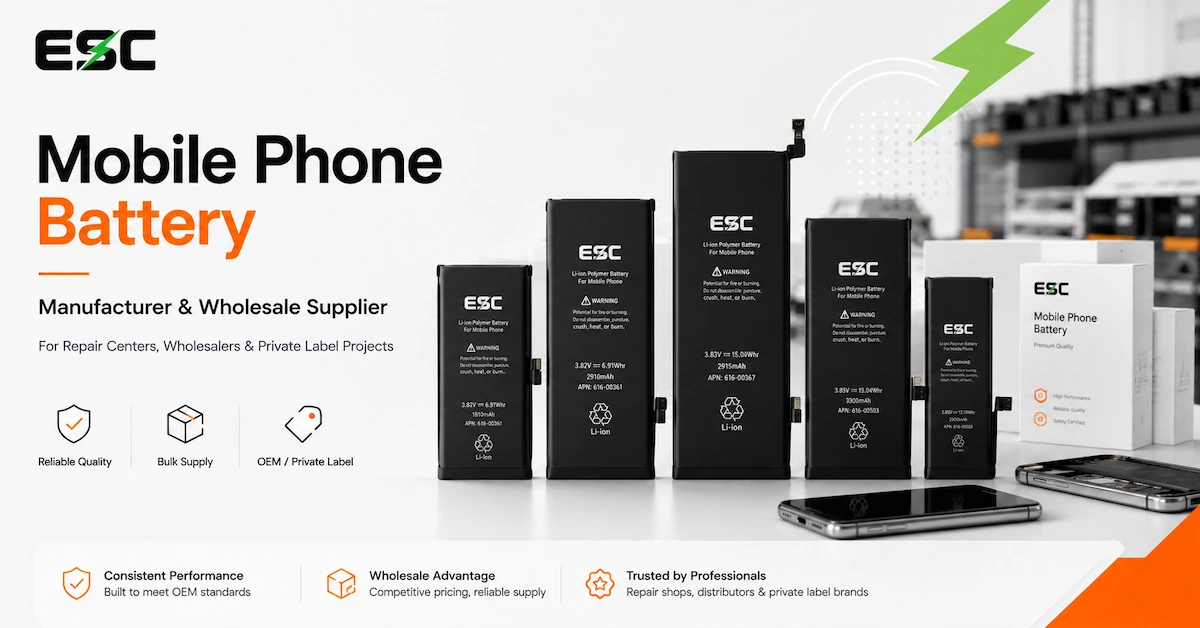
ESC’s mobile phone battery range separates standard-capacity, high-capacity, diagnosable, no-pop-up and cell-only products because these configurations do not represent the same repair workflow.
A technician should not continue troubleshooting a software symptom until the hardware configuration itself has been confirmed.
Step 5: Diagnose Fast Battery Drain with a Controlled Test
“Battery drains fast” is one of the least useful warranty descriptions unless the test conditions are known.
Runtime can be affected by:
- Actual battery capacity
- Internal resistance
- Screen brightness
- Cellular signal
- Wi-Fi or mobile data
- Background applications
- Camera or gaming load
- Processor activity
- Software updates
- Temperature
- Device hardware condition
The correct approach is to create a repeatable comparison. Use the same phone model, similar software condition, defined workload and similar environmental conditions.
If the battery is the primary suspect, evaluate actual capacity rather than only the percentage displayed on-screen. ESC’s phone battery quality control process separates capacity testing from protection-circuit checks, charging/discharging, aging and final inspection because each test answers a different question.
A battery can pass a short charging test while still having poor usable capacity, and a battery with correct capacity can still be installed incorrectly.
Step 6: Investigate Random Shutdowns Separately from Runtime
A phone shutting down at 20%, 30% or another displayed percentage does not automatically prove that the battery has lost that amount of capacity.
Possible branches include:
- High battery impedance under load
- Incorrect percentage reporting
- Installation issue
- Flex or connector problem
- Device hardware fault
- Software restart
- Temperature condition
- Battery cell or protection-circuit abnormality
ESC’s shutdown guide specifically warns that the battery percentage shown on-screen is not enough to identify the failed component.
Record what the device was doing immediately before shutdown. A phone that shuts down during a high workload provides different evidence from one that turns off while idle.
Step 7: Do Not Use “Battery Calibration” as a Universal Repair
Battery calibration is often recommended online as a fix for almost every battery complaint, but it cannot rebuild damaged chemistry or correct poor hardware.
ESC’s battery calibration and reset guide distinguishes percentage observation and software recalibration from actual battery repair. It notes that resetting or recalibrating does not restore lost cell capacity, fix a damaged flex or solve structural battery problems.
Calibration-type procedures may be relevant when the real issue is reporting behavior, but they should not be used to hide a failed capacity test or unstable battery.
For professional teams, record:
- Device model
- Software version
- Battery revision
- Initial percentage behavior
- Charging/discharging observations
- Whether a known-good reference behaves differently
Step 8: Decide When Battery Replacement Is Actually Justified
Battery replacement becomes a reasonable repair path when evidence points toward the battery rather than the rest of the phone.
Examples may include:
- Verified capacity well below the approved specification
- Abnormal battery behavior compared with known-good references
- Physical battery damage or swelling
- Unstable voltage under controlled conditions
- Battery-specific connector or flex damage
- Repeated failures associated with one battery batch
- Confirmed incompatibility with the intended model
- Protection or sensing abnormalities linked to the battery assembly
The battery should still be inspected and documented before disposal or warranty return so the supplier can distinguish a true production issue from installation or device-level causes.
Phone Symptom vs Likely Diagnostic Branch
| Symptom | Battery-related possibility | Other possibilities | Best next step |
|---|---|---|---|
| No power | Battery empty, damaged or disconnected | Board, display, connector, repair damage | Record power response and installation state |
| Not charging | Battery electronics or connector | Charger, cable, port, temperature, charging circuit | Test known-good charging path first |
| Fast drain | Reduced capacity or high resistance | Software, network, display, workload | Controlled runtime/capacity comparison |
| Random shutdown | Voltage drop or battery instability | Software, device hardware, connector | Reproduce under defined workload |
| Percentage jumps | Reporting instability | Software state or power interruption | Record before/after restart behavior |
| Excessive heat | Battery abnormality | CPU load, charging circuitry, environment | Identify heat source and stop unsafe testing |
| Swelling | Battery cell abnormality | — | Stop normal use and follow safe handling procedure |
| Slow charging | Battery-related limitation possible | Charger, cable, port, software settings | Compare charging system components |
| Works only on charger | Battery/connection possible | Power-path hardware | Controlled known-good comparison |
| Problem after replacement | Battery or installation possible | Pre-existing phone issue | Preserve before/after repair evidence |
Step 9: Use Known-Good Controls Instead of Guessing
A strong diagnostic process uses known-good references. For repair teams, that may include a compatible approved battery, charger, cable or known-good test device.
The important rule is to change one meaningful variable at a time. If the technician replaces the battery, charger and cable simultaneously and the phone begins working, the root cause remains uncertain.
A controlled comparison can look like this:
Complaint battery + complaint phone
Establish the problem.
Complaint battery + verified compatible test phone
Where safe and appropriate, evaluates whether the battery behavior follows the battery.
Known-good battery + complaint phone
Tests whether the device behaves differently with a controlled battery.
Do not move a swollen or mechanically damaged battery between devices simply to complete the comparison.
Step 10: For Repair Chains, Turn the Diagnosis into a Warranty SOP
Individual technicians can troubleshoot informally. A repair chain needs a repeatable process.
A basic warranty record can include:
| Record field | Why it matters |
|---|---|
| Phone model | Confirms compatibility |
| Battery supplier/model | Identifies the supplied product |
| Production or order lot | Detects batch patterns |
| Installation date | Establishes timeline |
| Complaint date | Measures time-to-failure |
| Customer symptom | Records the original report |
| Physical inspection | Identifies damage or swelling |
| Charger/cable used | Controls power-source variables |
| Device software version | Helps interpret software-related behavior |
| Battery percentage | Context only, not final diagnosis |
| Capacity/electrical test | Supports battery evaluation |
| Known-good comparison | Helps separate battery and handset |
| Final disposition | Warranty, installation, device fault or unresolved |
This structure also creates better supplier feedback. Instead of telling the battery manufacturer “many batteries are bad,” the buyer can report a specific model, batch and failure pattern.
How Battery Quality Affects Repair Success
Learning how to fix phone problems is partly about diagnosis, but B2B repair success also depends on the quality of the replacement battery itself.
ESC’s A-grade lithium-ion phone battery sourcing guide recommends replacing vague terms such as “A-grade” with measurable criteria including capacity, voltage, internal resistance, dimensions and batch consistency.
ESC’s published battery QC process includes:
- Incoming material inspection
- Cell grading
- Capacity testing
- Protection-circuit checks
- Charging and discharging
- Aging
- Final inspection
These controls are designed to reduce avoidable variation before the battery reaches a repair business.
For a buyer, quality control and repair diagnosis should therefore connect. If one complaint occurs, diagnose the individual phone. If the same verified failure pattern begins appearing across one model or batch, escalate it as a supplier-quality issue.
How to Choose a Replacement Battery After Diagnosis
Once the battery has been identified as the repair target, choose the replacement according to the actual phone and service objective.
Standard-capacity battery
Suitable when the repair shop wants a conventional replacement specification.
High-capacity battery
Useful when the business wants a higher-capacity aftermarket option and has validated capacity, fit and thermal behavior. ESC offers a dedicated high-capacity iPhone battery range.
Diagnosable iPhone battery
Relevant to specific professional repair workflows where post-repair diagnostic behavior matters. ESC’s diagnostic battery guide explains that these workflows need device- and system-specific validation rather than a generic compatibility claim.
Cell without flex
A professional component intended for technicians capable of the required cell-level repair process. It is not the same as a ready-to-install replacement battery.
The correct choice depends on the repair workflow, customer expectation and technician capability.
When Should a Repair Shop Escalate Instead of Continuing to Replace Parts?
Stop repeated battery replacement when:
- Two known-good compatible batteries show the same failure
- The phone shows clear device-level hardware symptoms
- A charging problem remains after verified power-source checks
- The battery is not detected despite verified installation
- The device repeatedly damages replacement batteries
- Abnormal temperature appears to originate outside the battery
- A board-level fault is suspected
- The device has liquid or structural damage requiring specialist repair
The objective of troubleshooting is not to make every repair end with a battery sale. Correctly identifying a non-battery fault reduces unnecessary warranty costs and protects customer trust.
How B2B Buyers Can Reduce Phone Repair Problems Before Installation
Repair businesses can reduce many warranty disputes through supplier qualification and incoming control.
Before accepting a battery program, define:
- Exact model compatibility
- Rated capacity and nominal voltage
- Physical dimensions
- Flex and connector configuration
- Protection electronics
- Temperature sensing where applicable
- Sample approval process
- Capacity-test expectations
- Aging and final inspection
- Packaging and SKU control
- Change-notification requirements
- After-sales process
ESC’s mobile phone battery range is structured for repair centers, refurbishers, wholesalers, distributors and private-label buyers.
A better replacement-battery program reduces the number of cases technicians need to troubleshoot later.
Frequently Asked Questions
1. How to fix phone when it will not turn on?
Start by recording whether the phone showed any response before and after repair, then check for physical battery abnormalities and confirm the power source, exact battery identity, connector and installation condition. A no-power symptom does not prove the battery is defective.
2. How do I fix a phone that is not charging after battery replacement?
Confirm the battery model and installation, then test the charger, cable, port, temperature state, charging settings and device charging path. ESC’s phone not charging after replacement guide provides a structured diagnosis workflow.
3. Why does my phone battery drain fast after replacement?
Possible causes include low usable battery capacity, background applications, display load, weak signal, software activity, high temperature or device hardware. Use a controlled runtime and capacity comparison before blaming the replacement battery.
4. Why does a phone shut off when it still shows battery remaining?
Displayed percentage does not prove the battery can deliver the required power under the current workload. Battery resistance, reporting, installation, software or device hardware can contribute. Record the shutdown conditions before testing.
5. Can battery calibration fix a bad replacement battery?
No. Calibration or percentage relearning cannot restore degraded battery chemistry, repair damaged flex cables or correct a wrong battery. Use it only when the diagnostic evidence points toward reporting behavior.
6. What should I do if the phone battery is swollen?
Stop normal charging and repair testing. Avoid puncturing, compressing or repeatedly reconnecting the battery and follow appropriate professional handling procedures. Swelling is a structural safety issue rather than a normal calibration or charging problem.
7. How can I tell whether the problem is the battery or the phone?
Use controlled comparisons: verify the charger and cable, inspect installation, reproduce the symptom and compare with an approved known-good compatible battery or device where safe. Avoid replacing several components at once.
8. Is a high-capacity battery better for fixing phone battery problems?
Not automatically. Higher capacity addresses stored-energy specification, not unrelated charging, connector or board problems. The battery still needs correct fit, electrical behavior and quality validation for the target device.
9. When should a repair shop replace the battery under warranty?
Use agreed evidence such as physical condition, capacity results, electrical behavior, installation review and controlled comparisons. A customer complaint alone should start a diagnosis, not automatically determine the warranty cause.
10.Where can repair businesses source replacement phone batteries?
ESC supplies mobile phone replacement batteries for repair centers, refurbishment businesses, wholesalers, distributors and private-label programs. Buyers should provide exact models, quantities and quality requirements before bulk ordering.
Conclusion
Understanding how to fix phone problems means separating the customer’s symptom from the actual failed component. No power, charging failure, rapid drain, random shutdown and post-replacement complaints can involve the battery, but they can also involve the charger, cable, port, installation, temperature, software or phone hardware. Professional repair teams should begin with safety, preserve the original evidence, verify the battery configuration, control test conditions and change one variable at a time. When the evidence does point to the battery, using a consistently manufactured replacement product and a defined incoming-QC process can reduce repeat failures and warranty disputes. Review ESC’s mobile phone battery range and contact ESC with your phone models, quantities and repair requirements to discuss replacement-battery samples and bulk supply.